Texture Resolution QC
- Houdini 22
- Solaris
- Karma
- USD
- Python
- VEX
- Copernicus
A LOP that measures, per prim and per UDIM tile, the texture resolution the shot cameras actually read, paints the answer on the geometry, checks it against what Karma samples, and writes the textures and the USD layer that act on it.
- 0.0median error in mip levels against Karma CPU, over 21 M pixels
- -60 %Karma CPU peak memory on the demo set once its textures are tiled and mipmapped
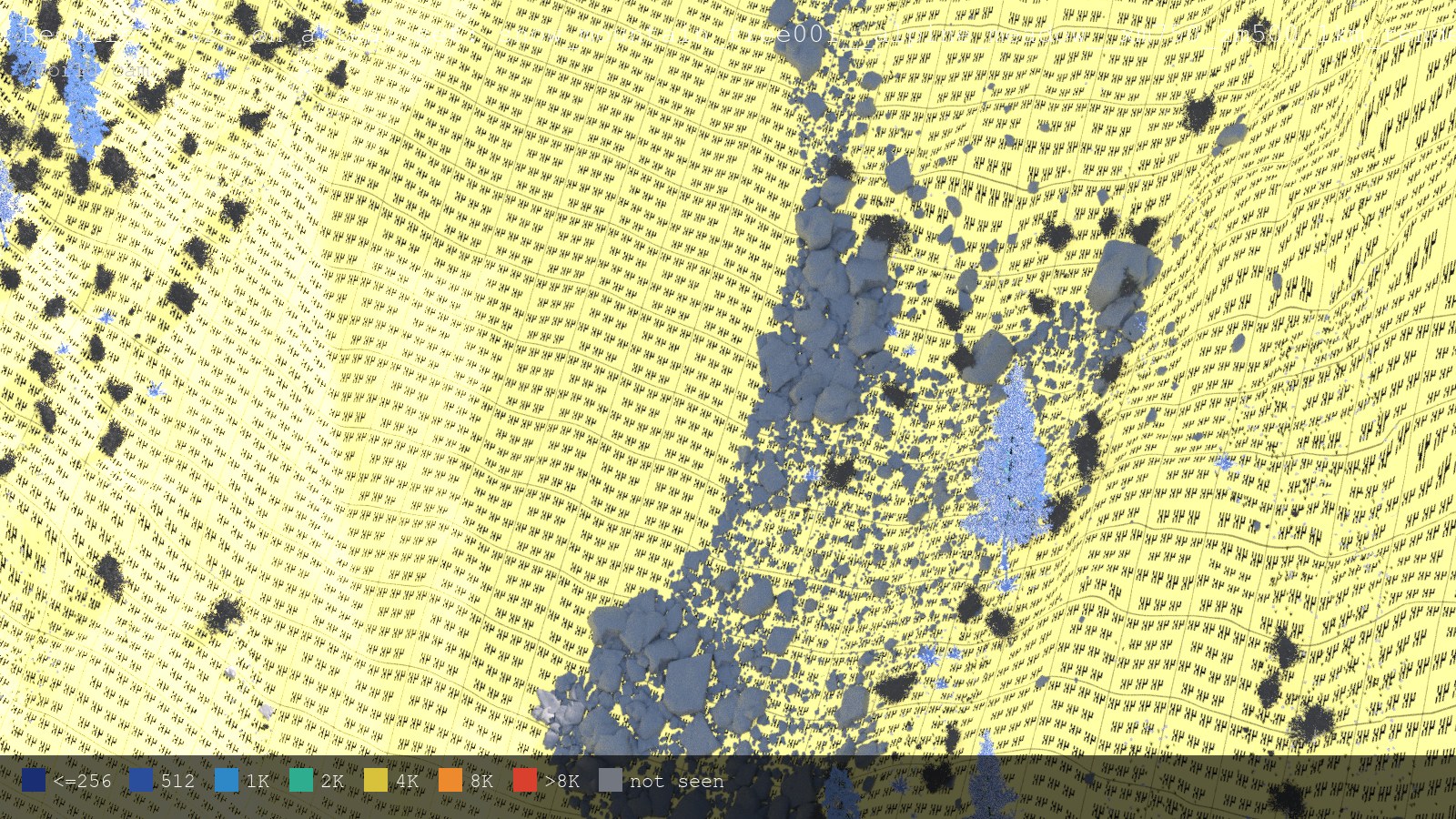
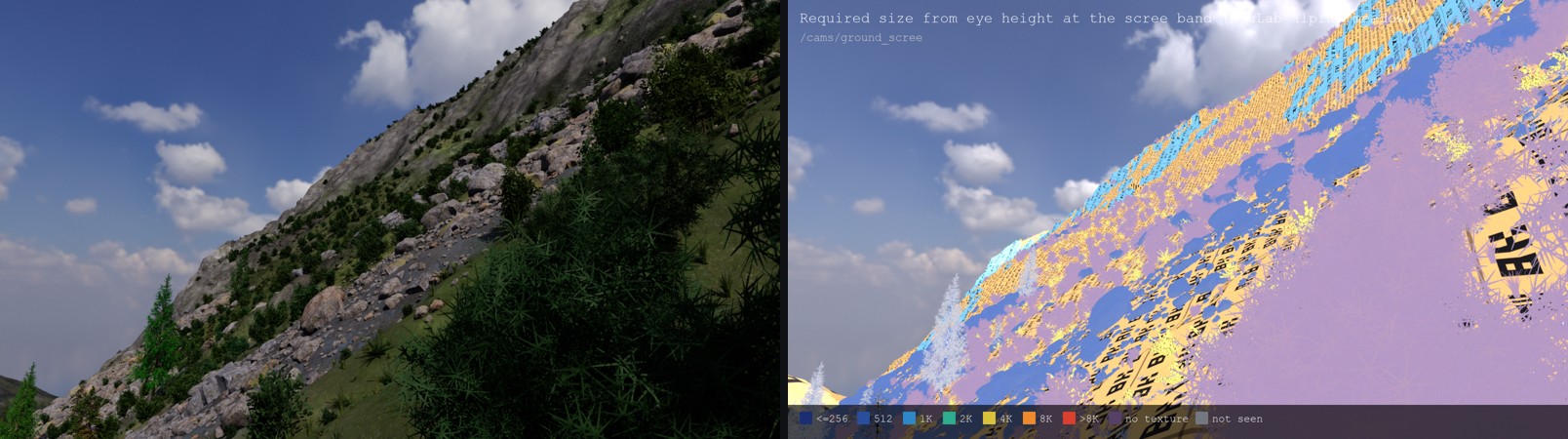
- 25 scook of a 1.18 M-instance alpine meadow, 108 prototypes, 4.3 M faces traced
- 1 nodeone LOP HDA; bypass it and nothing remains on the stage
01
The question
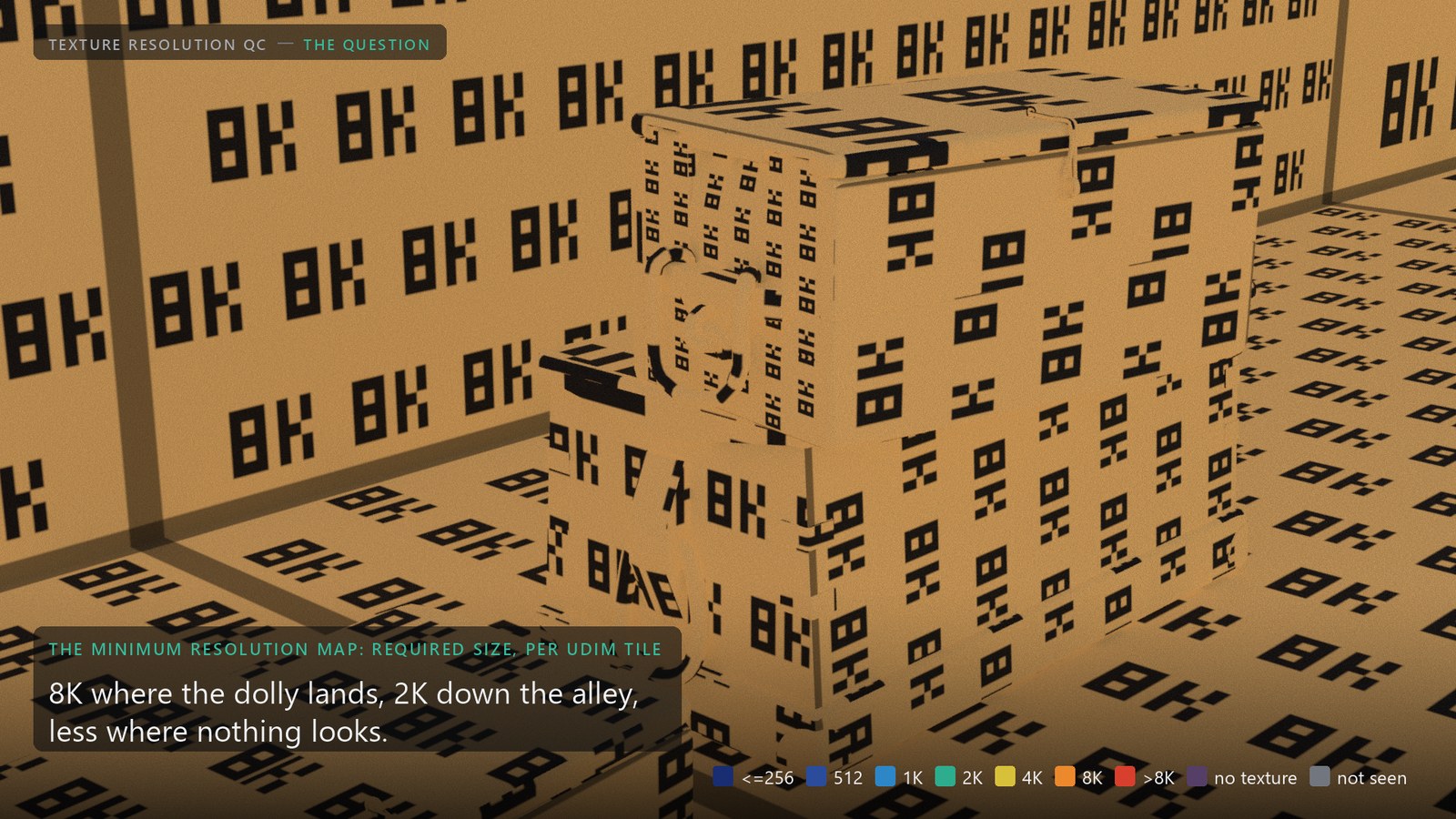
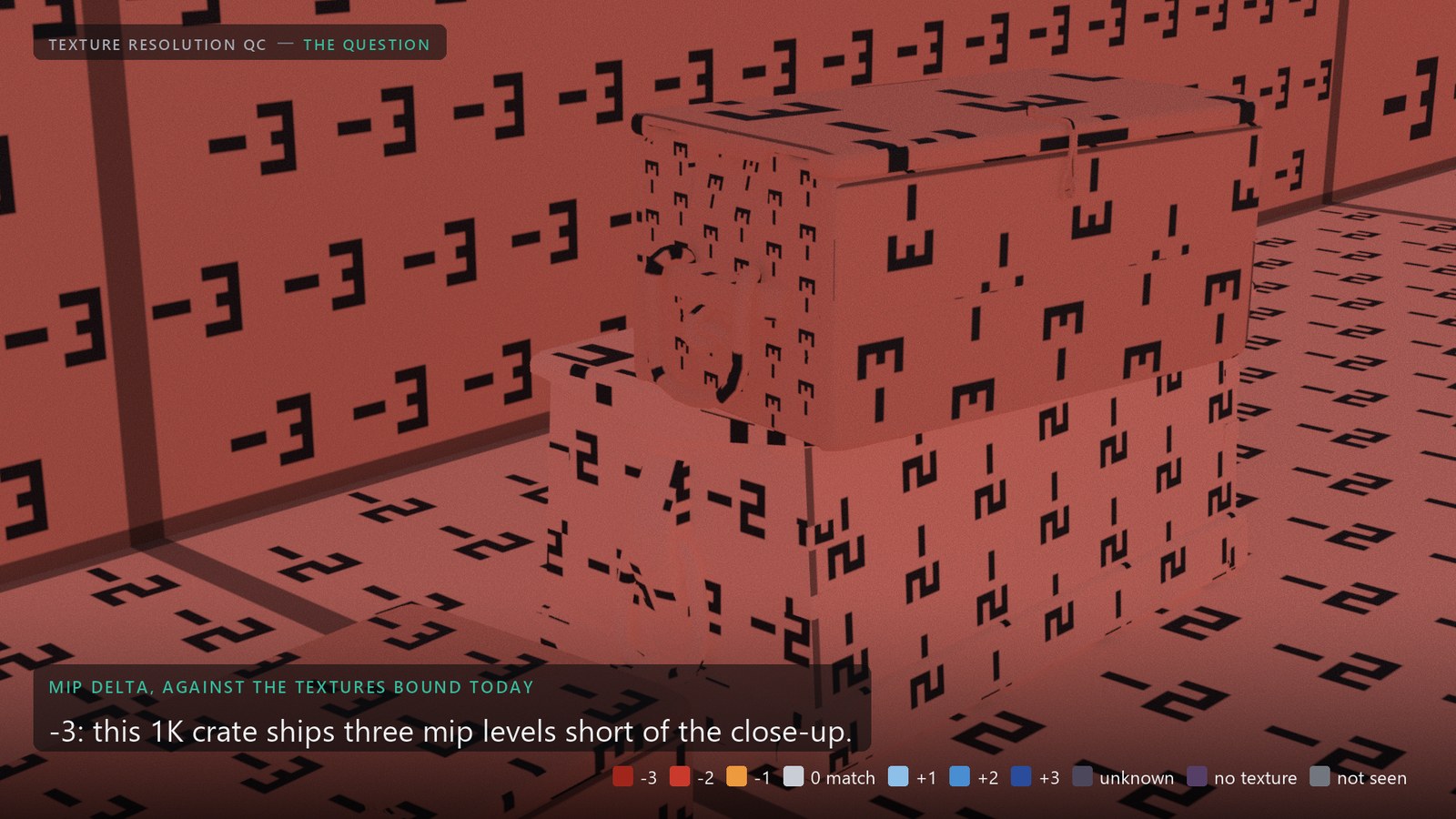
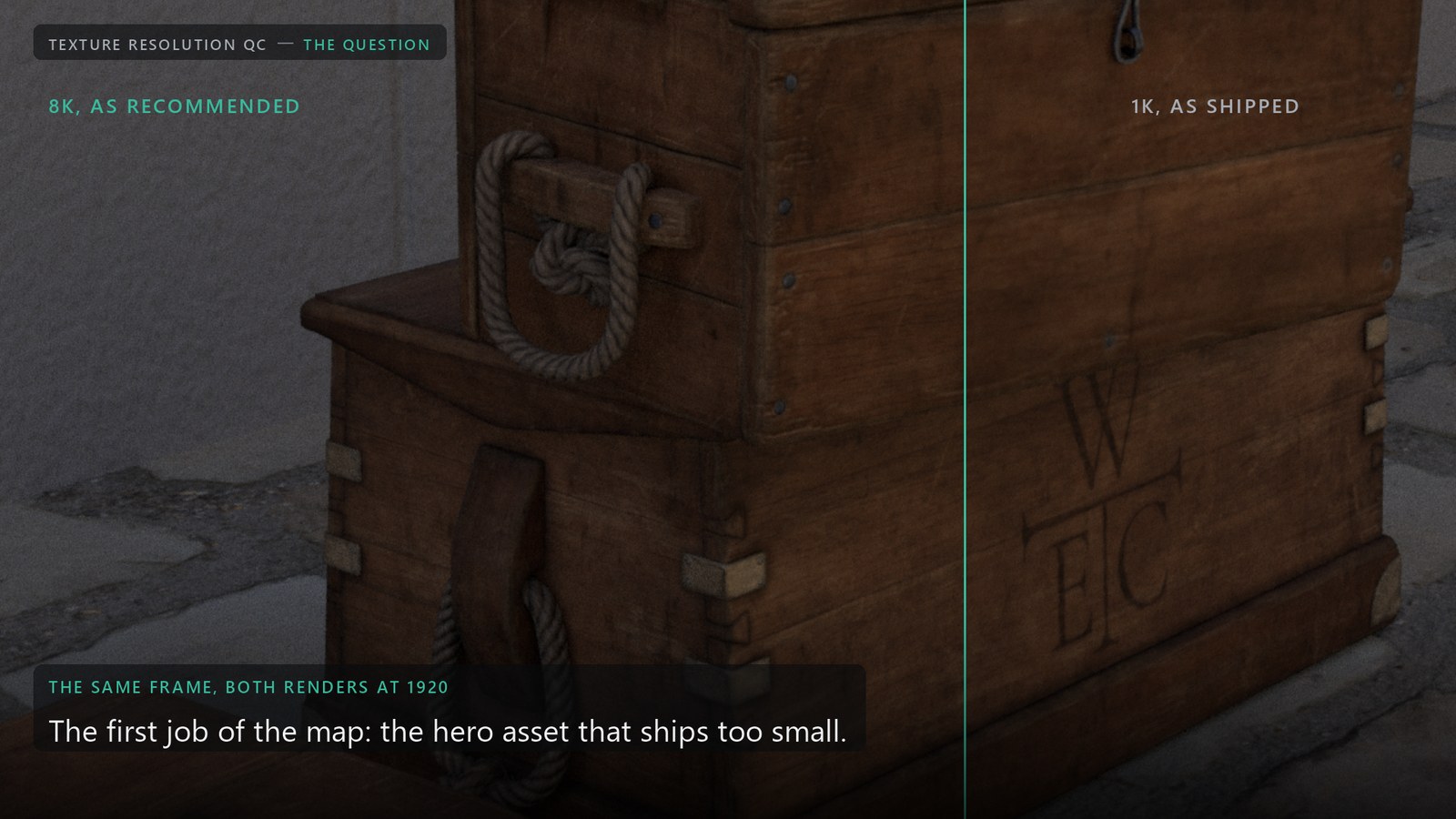
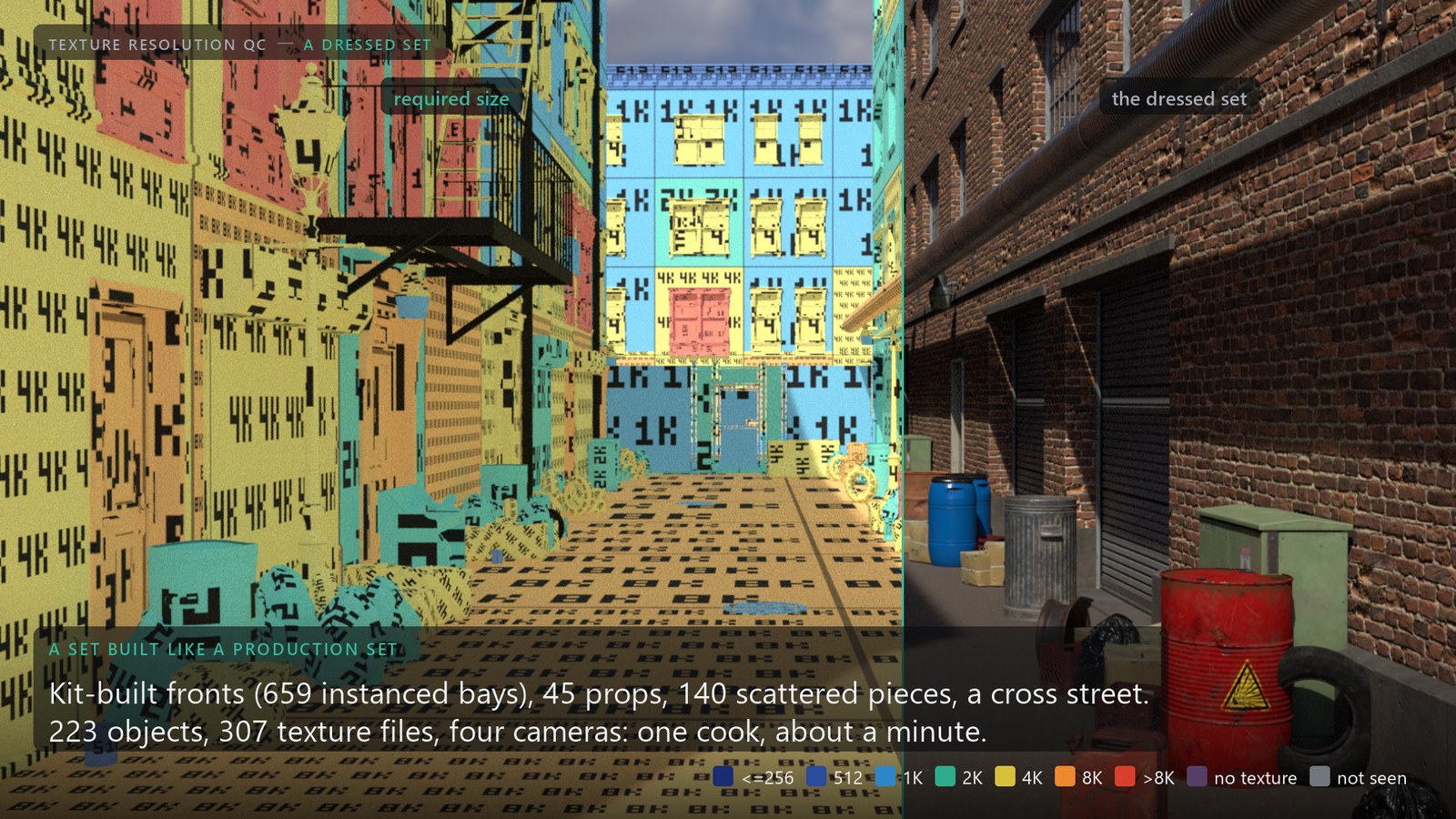
Texture sizes are decided before the shots exist: a vendor spec, a rule of thumb, whatever the asset came with. The tool replaces the guess with a measurement from the shot cameras: a map of the minimum resolution every prim and UDIM tile needs for the shots as framed. That map is the main thing it gives you. Its first job is the asset that ships too small, the 4K hero prop a close-up reads at 8K, caught on the set before it is painted, or at least before dailies. The oversized background that costs memory, network and disk on every frame falls out of the same map, and is the smaller win.
02
The maths
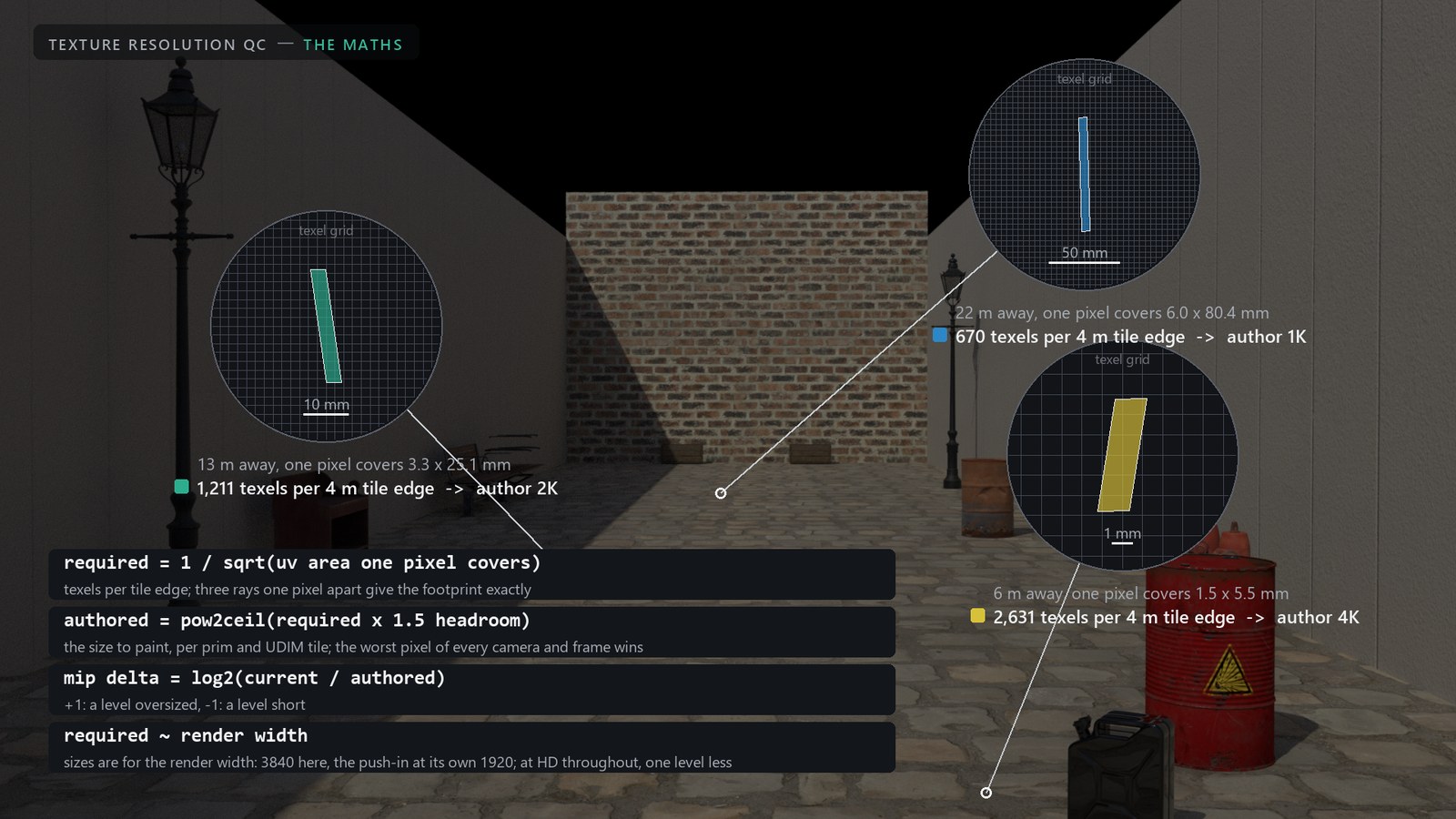
A render pixel covers a small parallelogram in uv space. Texels smaller than that parallelogram are never read at that pixel, so the finest mip level a shot touches is set by its worst pixel. The tool measures that footprint the way the renderer does, with ray differentials: three rays one pixel apart, the hit on the surface's tangent plane, the uv difference between them.
J        = [ du/dx  du/dy ]     uv change per screen pixel, from three rays one pixel apart
           [ dv/dx  dv/dy ]
required = 1 / texel_size(J)    texels per tile edge: the footprint's short axis (minor), as Karma picks the level
authored = pow2ceil(required x 1.5)
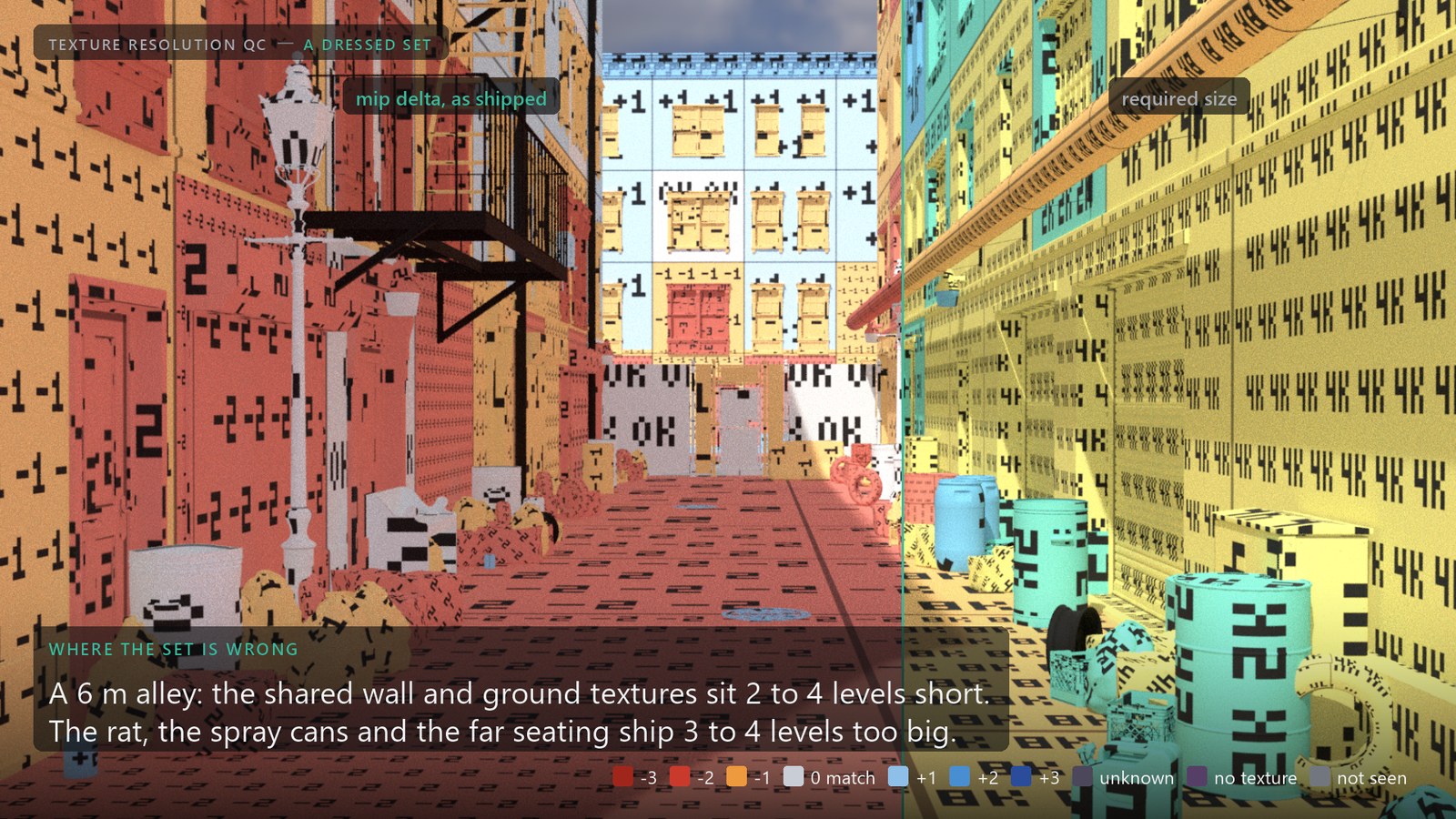
mip delta = log2(current / authored)      +1 oversized by a level, -1 a level short
density needed = 1 / footprint on the surface        pixels per meter the camera puts there, same metric, blind to the uv layout
density today  = current x sqrt(uv area / world area)   what the bound texture gives per meter
Every size is for the render width. The reference here is 3840 x 2160; the push-in and the lamp camera render at 1920 and are measured at their own width, so the 8K the crates ask for is the push-in's own number (16K were it a 4K camera). Required scales linearly with the width: a show at HD throughout asks one level less everywhere, and the report lists the sizes for every Report Width.
Which axis of the footprint
| Metric | Texel size | Matches |
|---|---|---|
minor (default) | the short axis, clamped by Max Anisotropy (16) | Karma CPU and XPU, measured with the mip probe below: median error 0.0 / -0.5 levels |
area | geometric mean of both axes | isotropic mip selection; one level too coarse on surfaces seen at an angle (the old default) |
major | the long axis | trilinear filtering without anisotropy: the most conservative |
Frontal surfaces give the same answer with every metric; grazing walls and floors are where they differ by a level, and where a wrong default quietly under-sizes a set.
03
How it runs
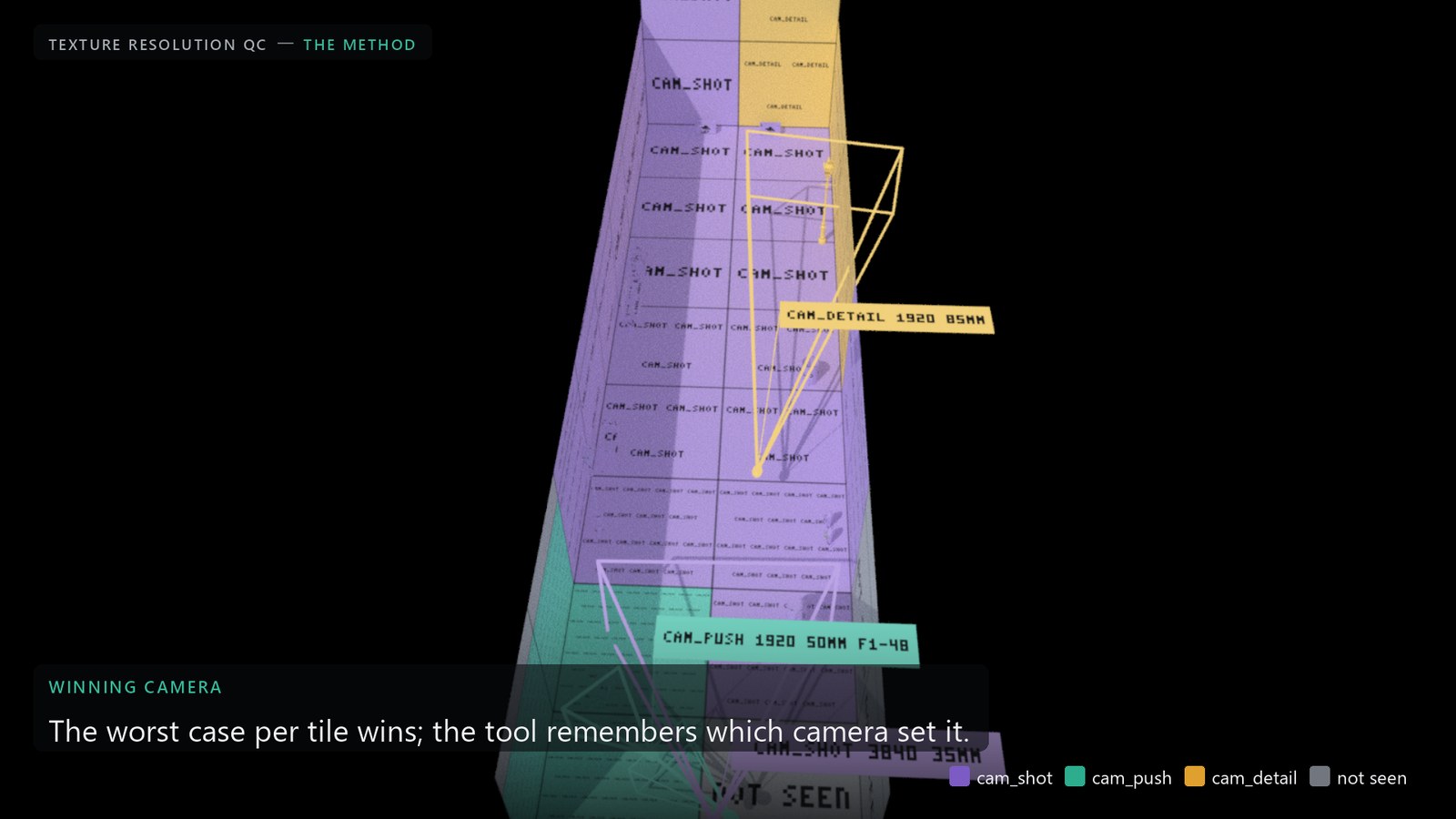
Ray engine (default). A ray grid from every shot camera at every N-th frame (last frame always included), one ray per sampled pixel plus the analytic footprint of its two neighbors, VEX intersect() against the render-purpose geometry. Seconds on a set, no render setup, updates while a camera moves. Cameras are read from the stage per frame through the USD API; cameras keyframed on LOP nodes are cached over their range so each sample sees the camera where it is.
Karma image engine. The same maths on rendered AOVs: a per-prim id and a copy of st, rendered with husk at each camera's own resolution, finite differences between 4 x 4 pixel windows. Subdivision, displacement, motion blur and depth of field are in the data for free. It also renders a footprint image per frame: the finest mip level the shot reads from the textures bound today, per pixel.
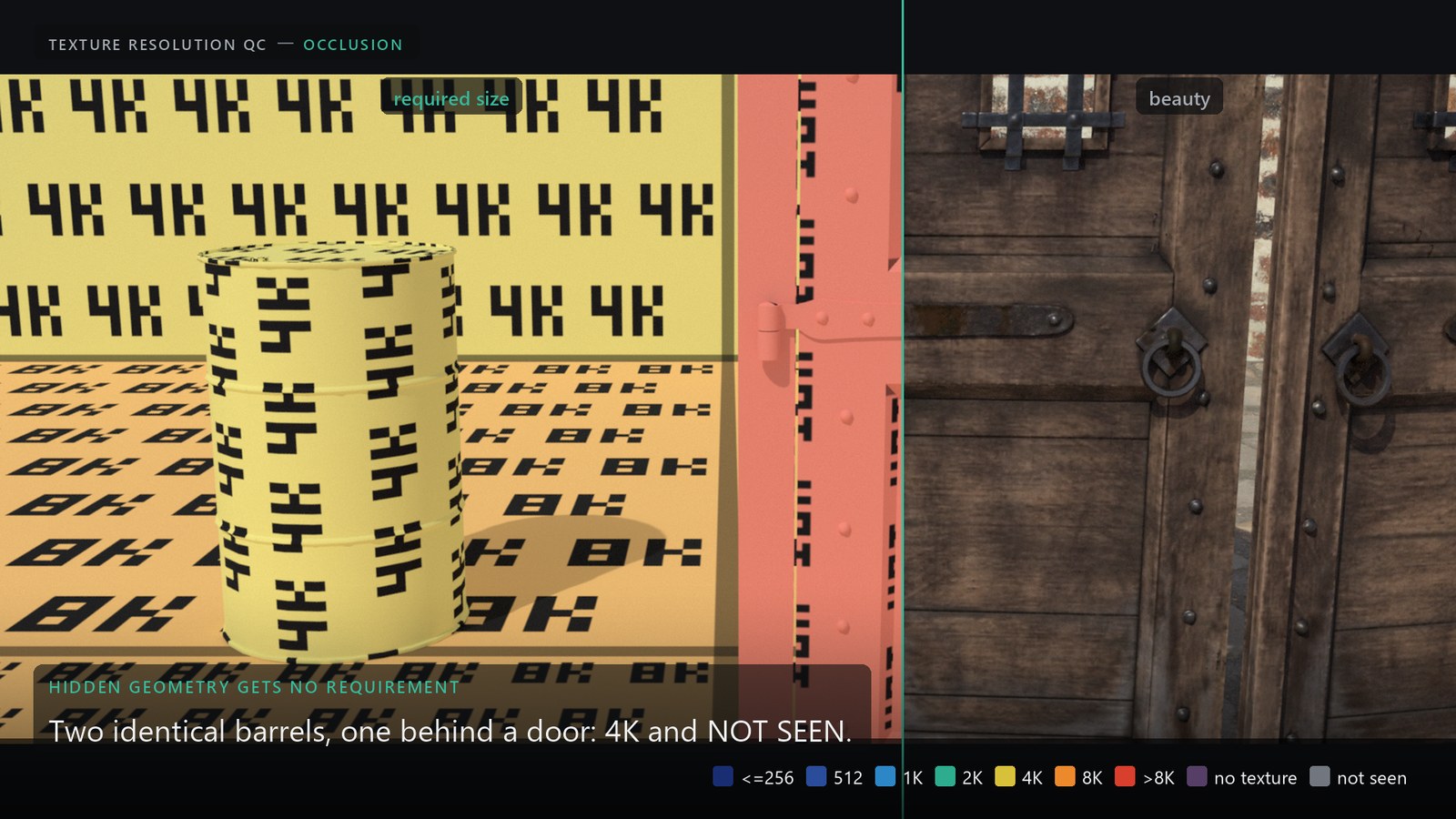
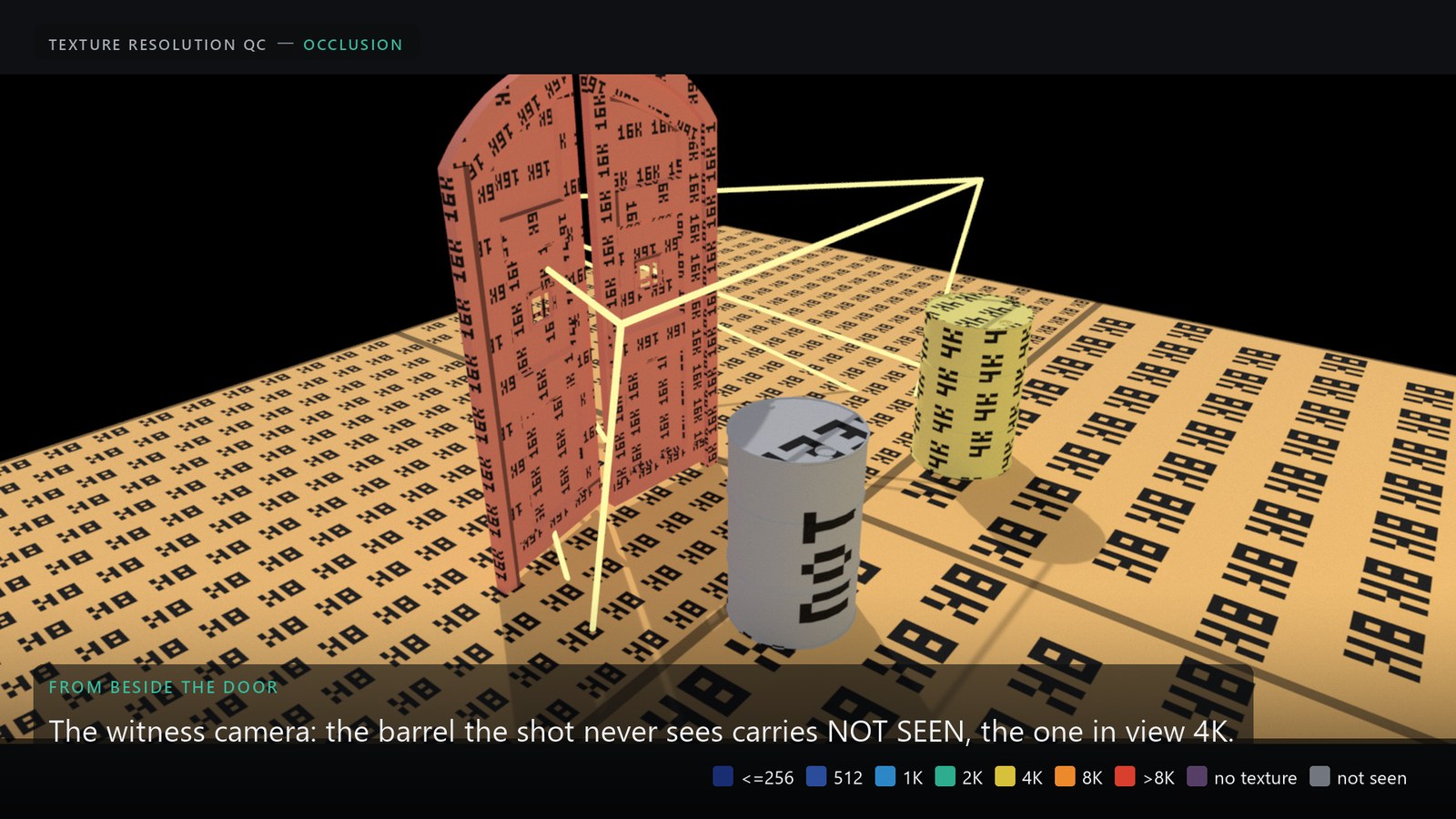
Occluders. Everything a render sees blocks the rays, measured or not. A barrel behind a door gets no requirement, reads NOT SEEN and gets the minimum size, even when the door is outside the primitive pattern. Proxy and guide purposes and invisible prims never block and are never measured.
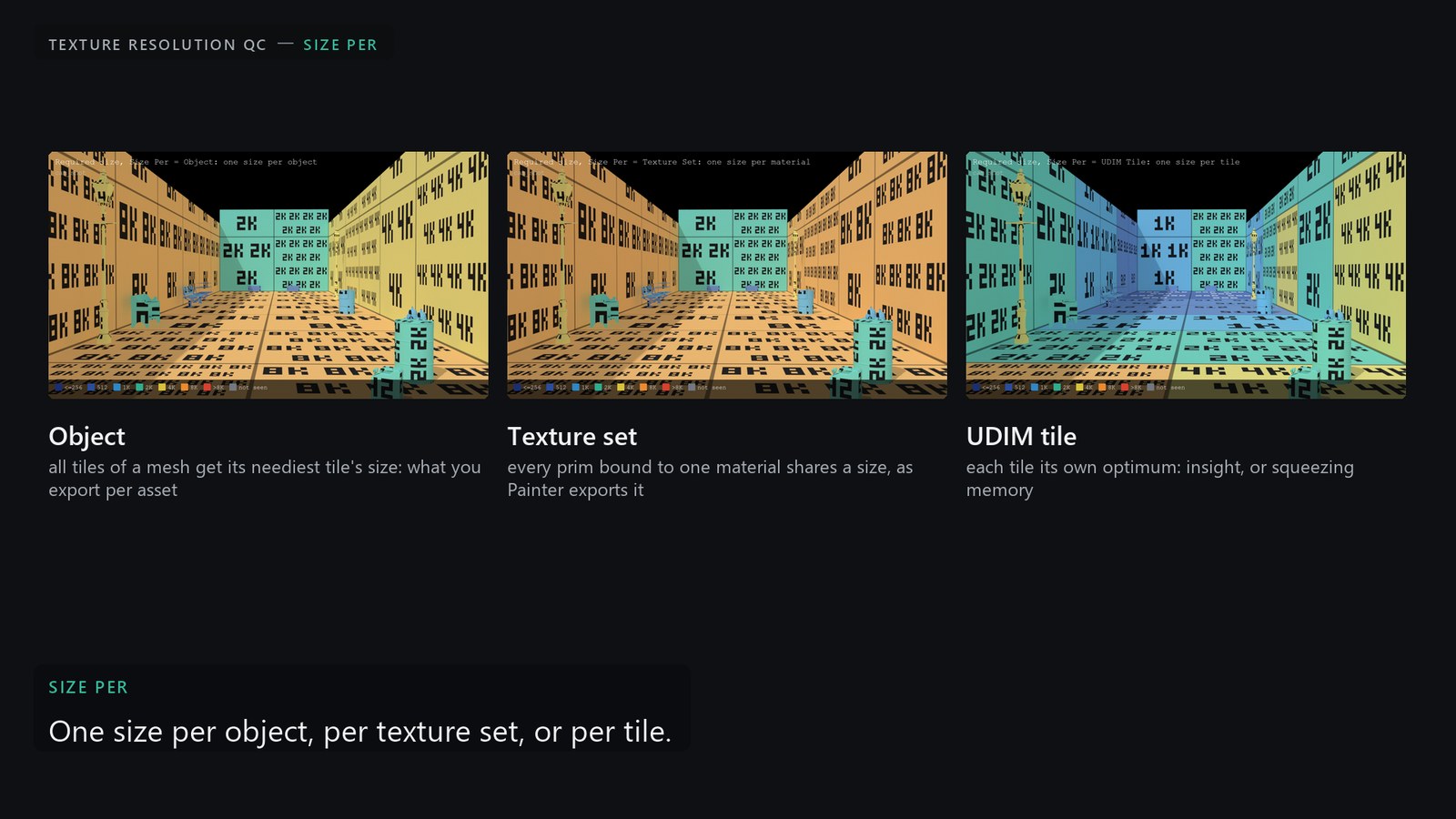
Aggregation. The maximum per (prim, UDIM tile) over every camera and frame, with the camera and frame that set it. Size Per decides what shares a size: the object (all its tiles get its neediest tile's size, what you export per asset), the texture set (every prim bound to one material, as Painter exports it), or each tile on its own.
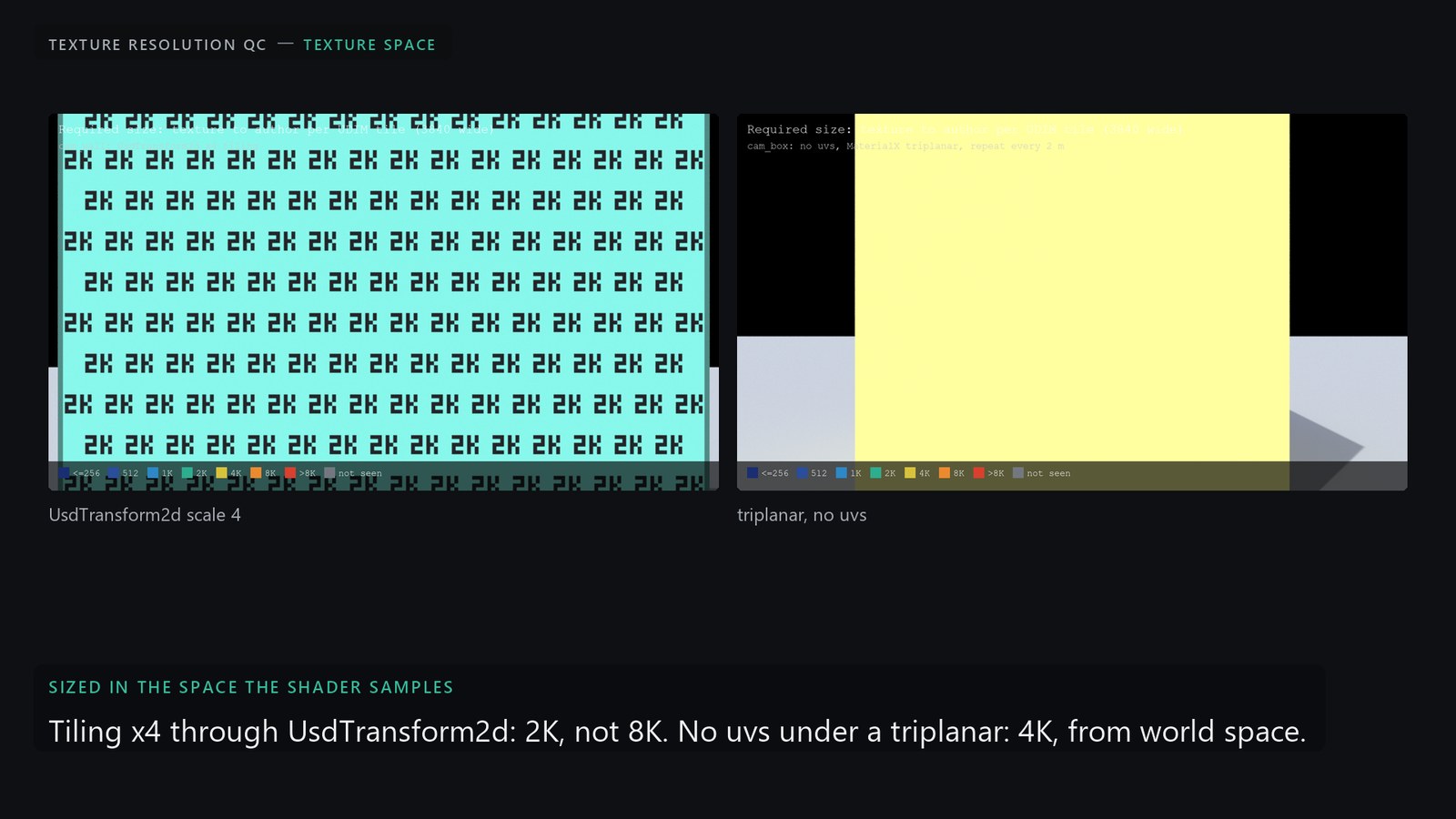
Texture space. Each map is sized in the space its shader samples, found by walking the material graph: UsdTransform2d and place2d scale, constant multiplies, tiledimage tiling. A coordinate that comes from position (MaterialX triplanar) is world-projected and sized from the surface's pixels per scene unit, uvs or not.
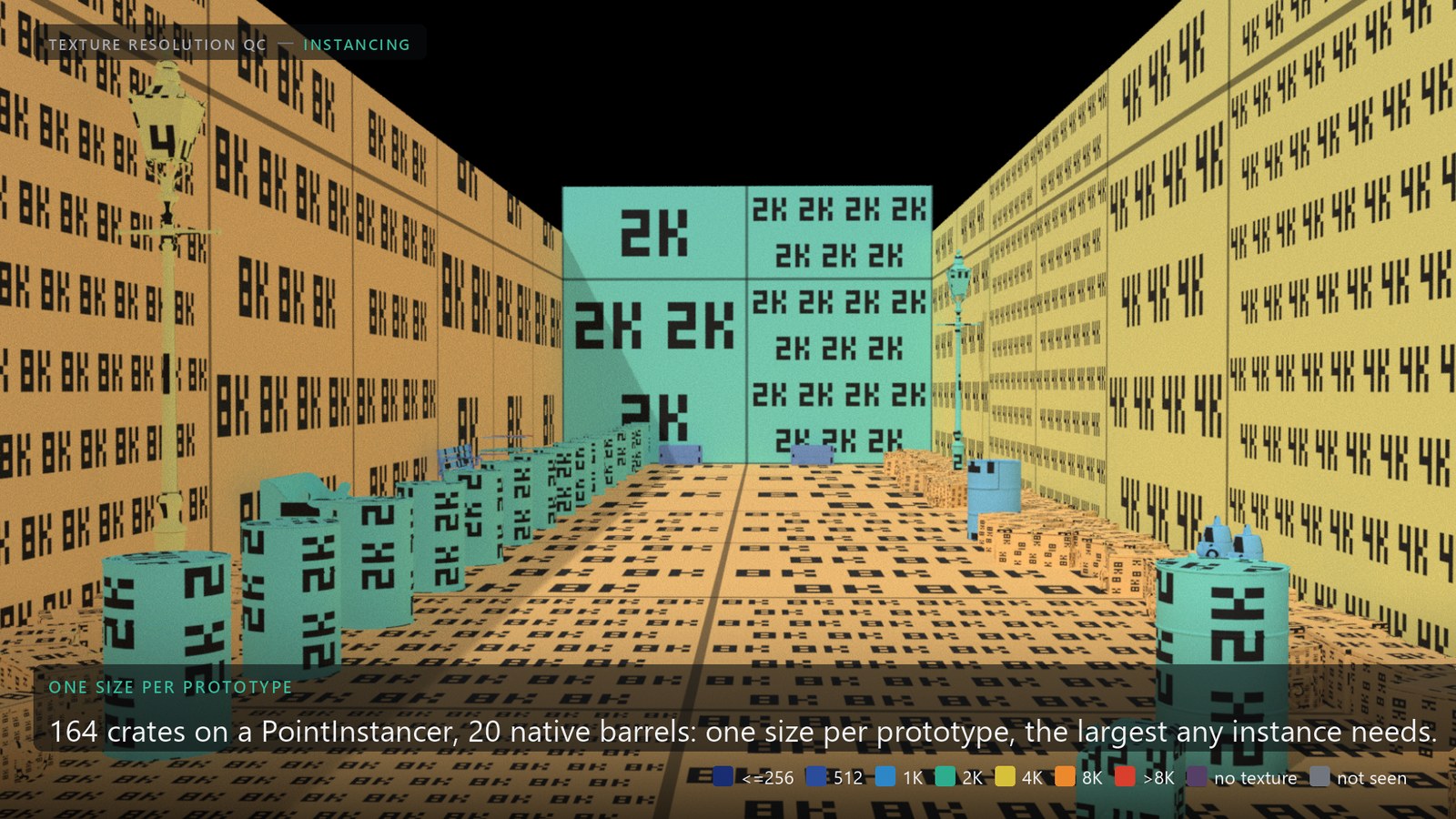
Instancing. One size per prototype, the largest any instance needs, traced on 32 copies per prototype by default under a face budget, half the biggest on screen and half spread out in space among those within a level of it, so copies hidden together behind one wall cannot take every slot (if every traced copy still comes back hidden while others are in view, the prototype is estimated, never reported missed); prototypes over the budget are estimated from uv density and the nearest instance, conservatively. A million-instance PointInstancer cooks in about a second.
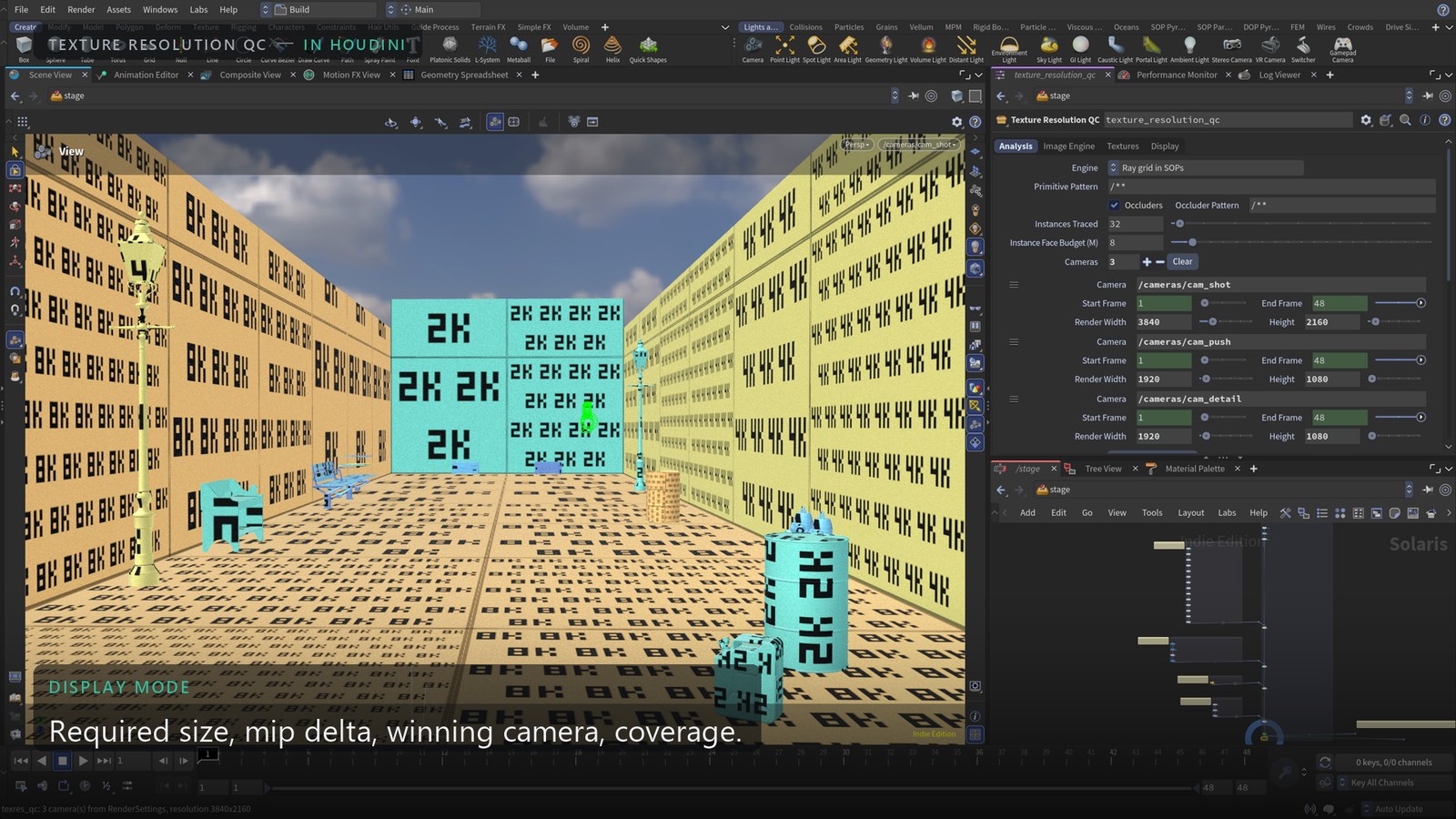
In Houdini, viewport only. The light version of the workflow needs no render: drop the node after the set, press Cameras From Stage, set the display flag, and the ray engine paints the required sizes in the Storm viewport within seconds. The Display Mode menu switches to mip delta, winning camera or coverage; the tile panel filters the tiles short by a level or more, selects the prims and frames them. Karma is only needed for the image engine and the probe.
04
The views, in the viewport
Painted on the geometry as per-face display color plus a preview material the node binds while it is active, so it shows in Storm and in the Karma viewport and renders as a QC frame. Each tile also carries its value as a small label texture, repeated by its screen size.
No texture marks a surface whose material binds no texture file at all, only a flat color, so there is no size to set. Before, such a surface could read not seen: the meadow's procedural shrub leaves carry uvs that are all (0, 0), so every sample on them was dropped.
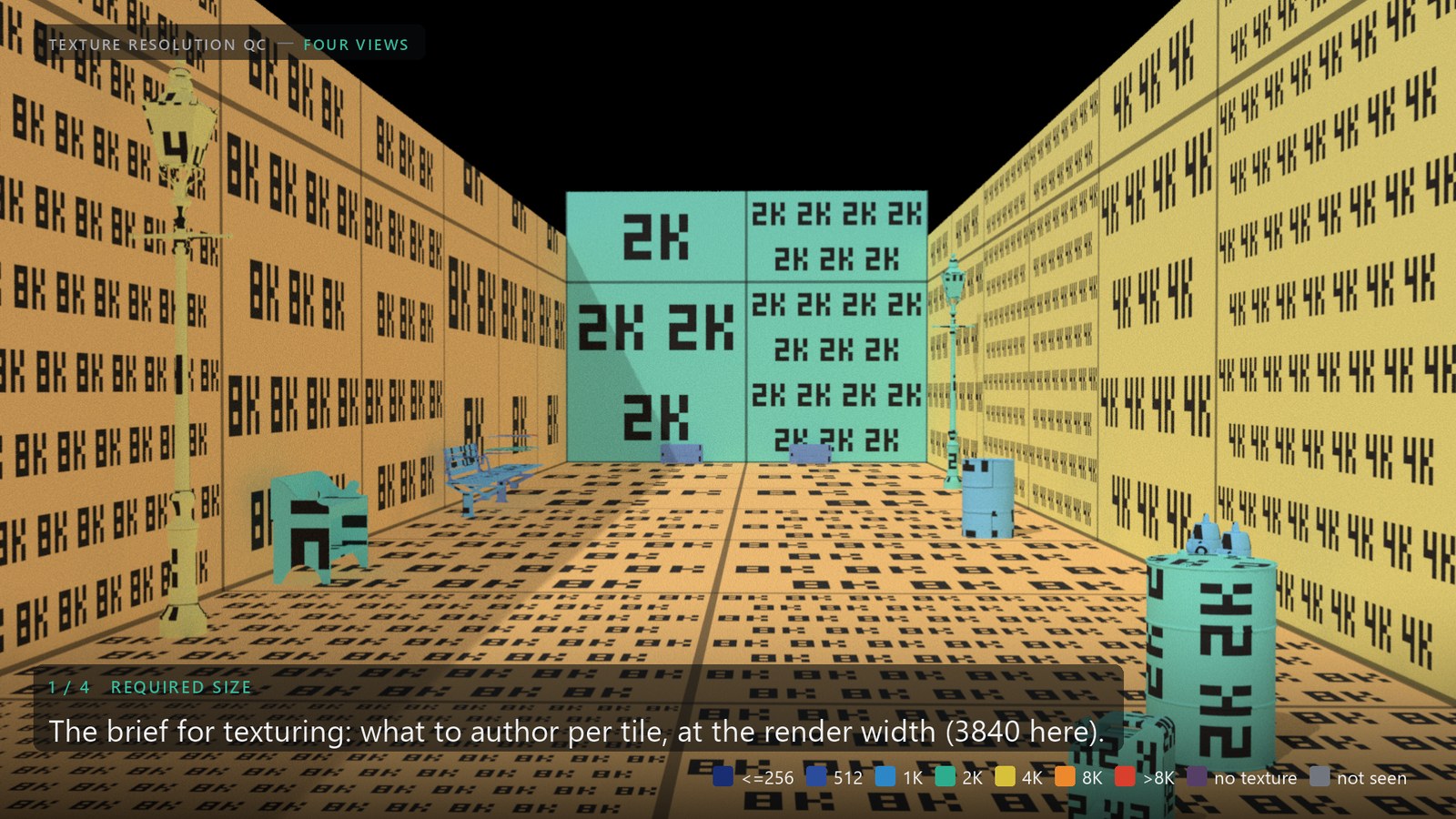
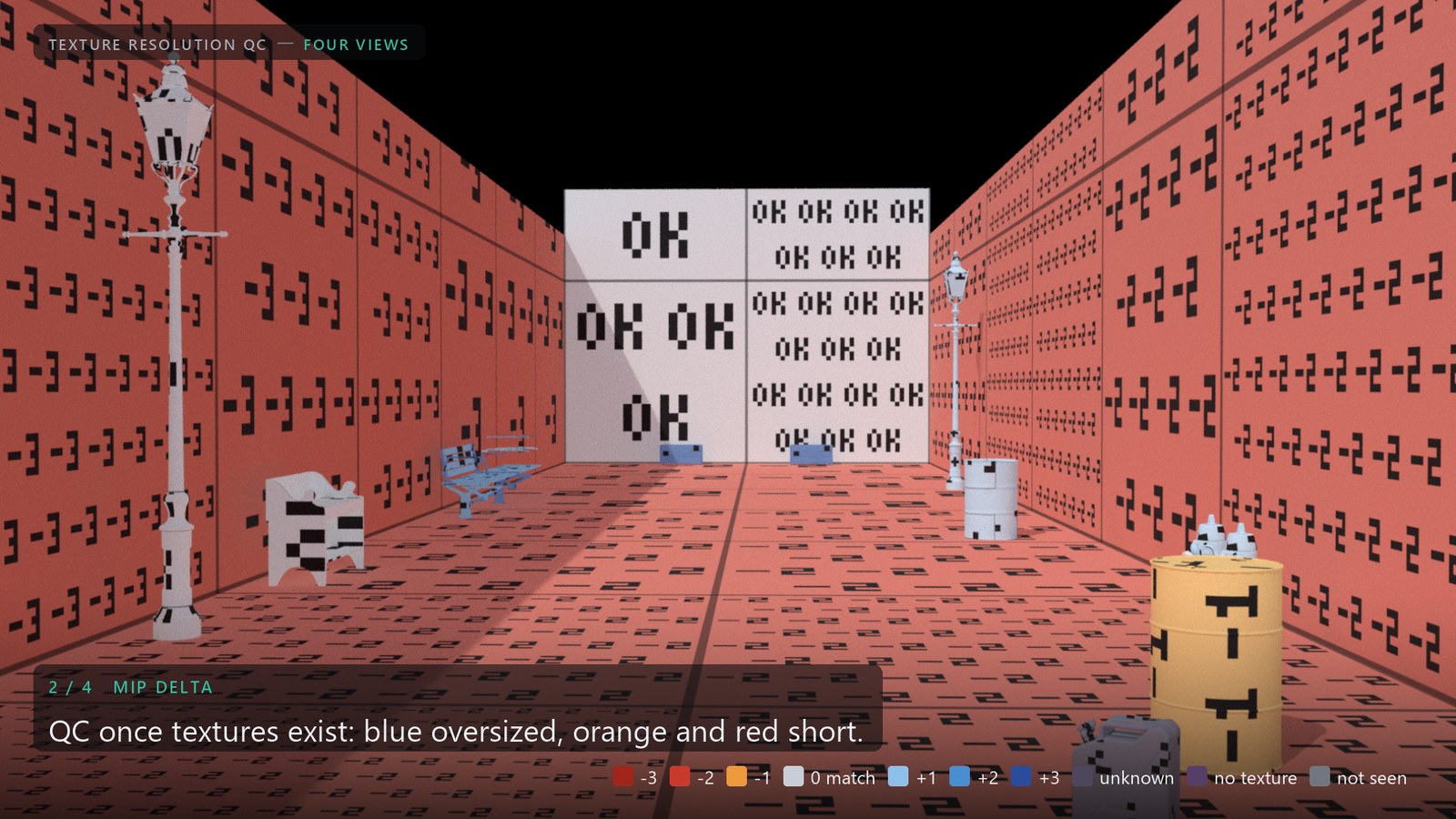
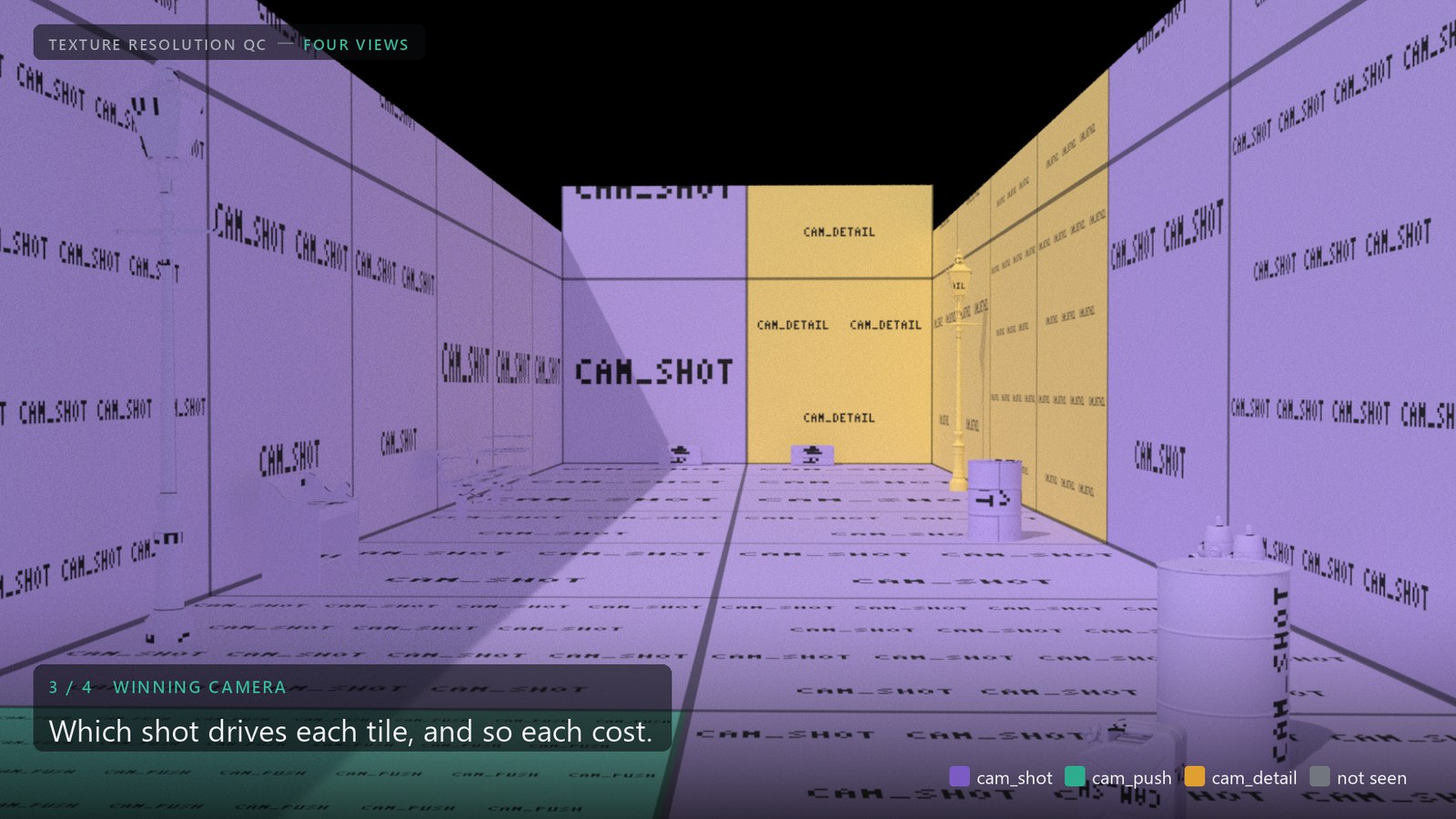
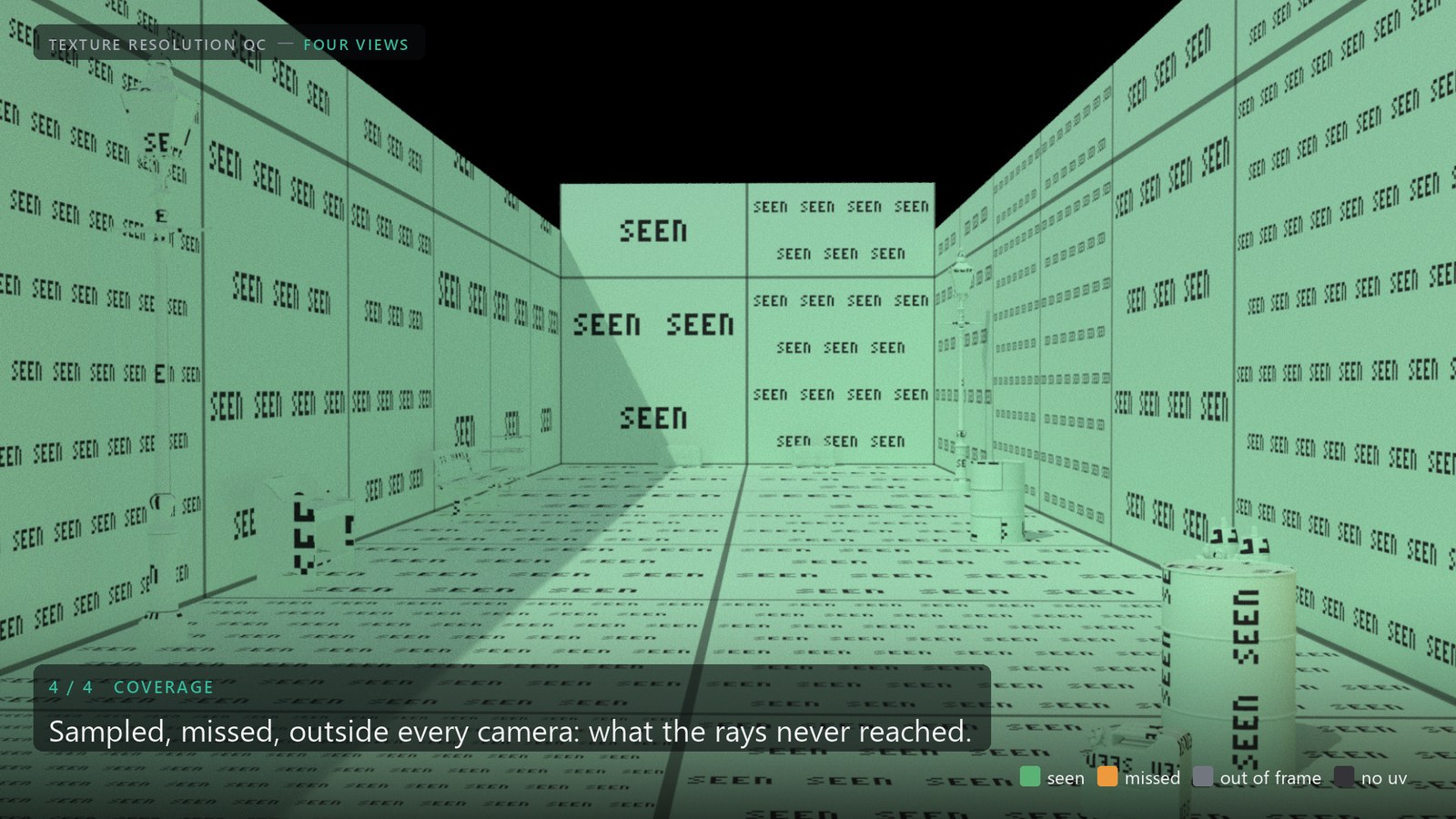
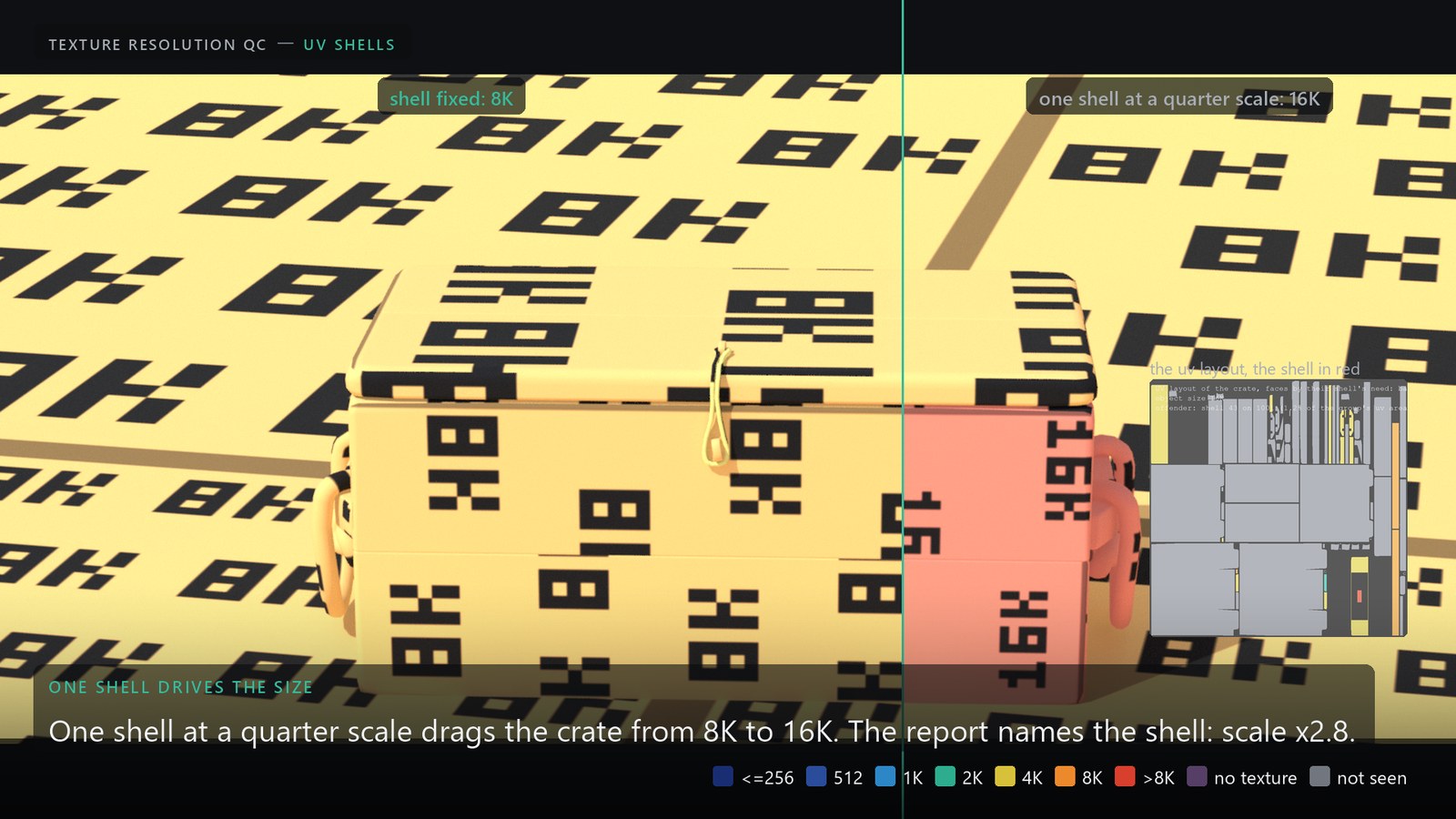
Two more: Shell need colors every UV shell by the size it needs on its own, and Budget shows the levels given up to fit a memory budget. Every tile keeps its measured texres:required, texres:authored, texres:current, texres:delta, texres:camera and texres:frame as primvars (and the texel densities below), readable in Scene Graph Details, by COPs, or by anything downstream.
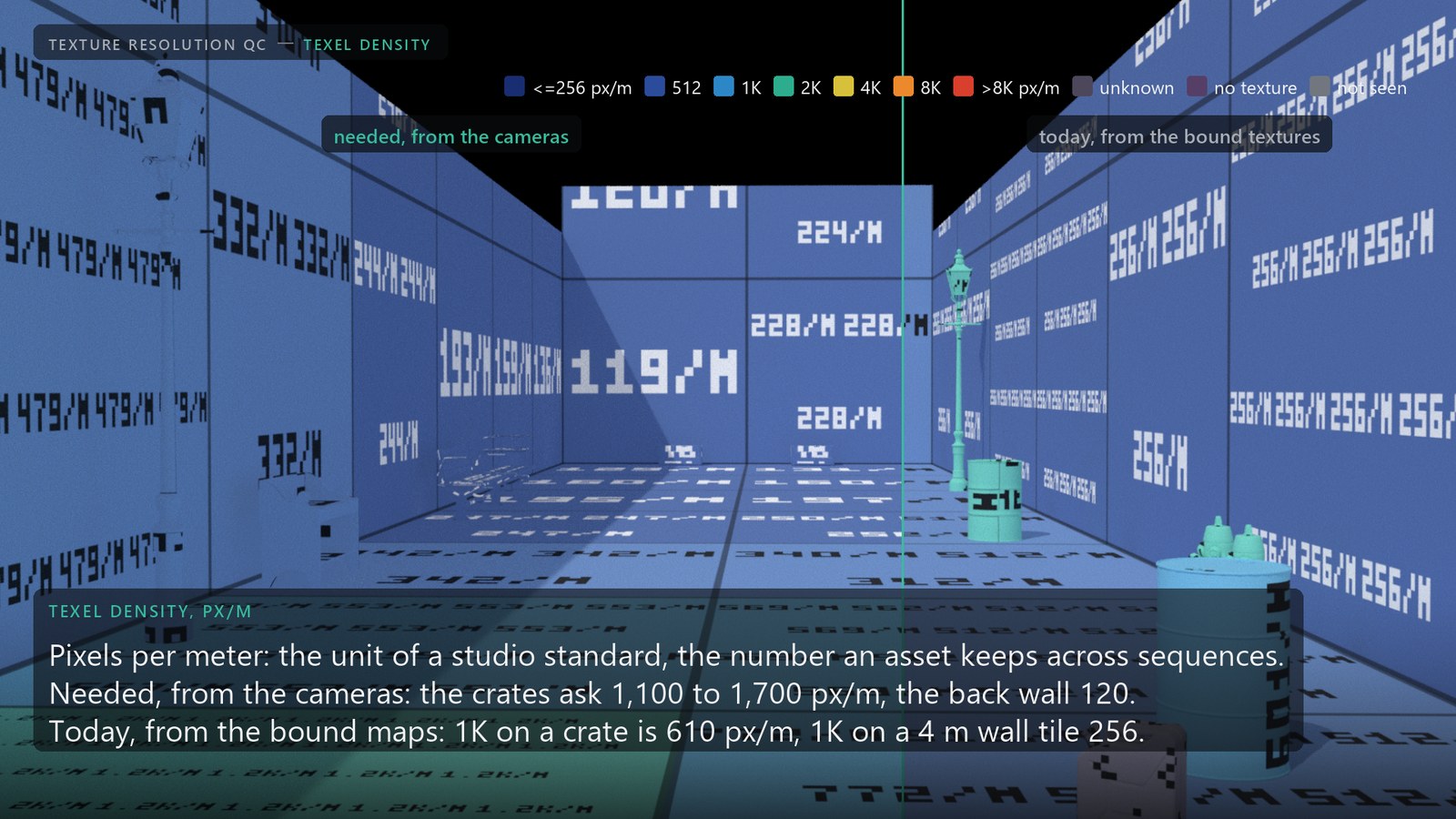
Texel density, the same map per meter. Studio standards are written in pixels per meter of surface, not per UDIM tile, and that is the number an asset keeps when it travels to another sequence. The tool gives both sides in that unit. Needed is what the cameras put on the surface: the same rays measure the pixel's footprint in scene units through the same metric, so a badly packed uv shell cannot inflate it (the crates 1,100 to 1,700 px/m at the end of the push-in, the back wall 120). Today is the bound texture over the uv layout (1K on a crate is 610 px/m, 1K on a 4 m wall tile 256). The requirement through the uv layout is kept beside them: where it sits a level or more above the surface need, the layout wastes the texture, and the report says re-uv and points at the shell.
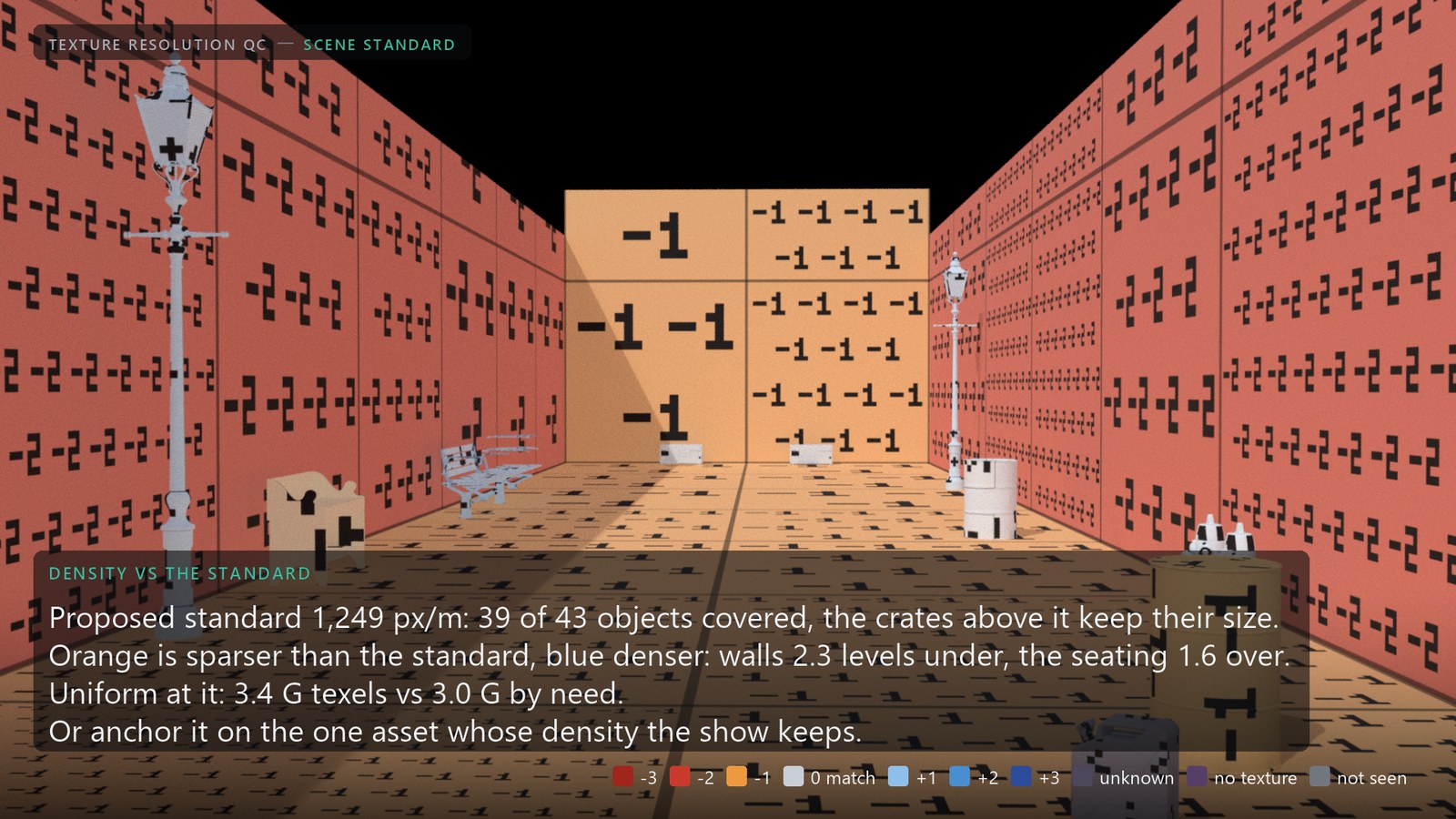
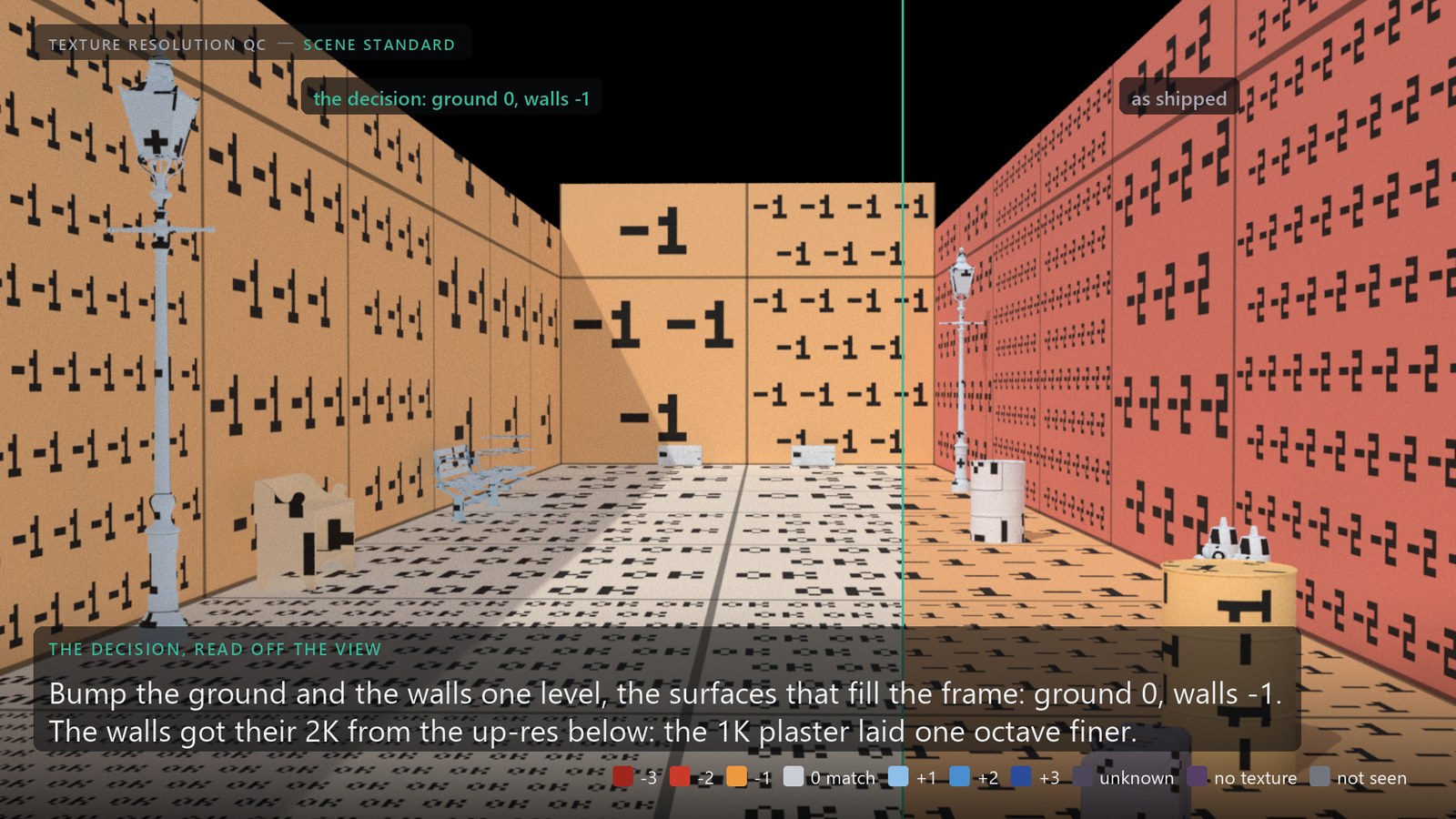
A standard, proposed or anchored. With no anchor given, the tool proposes the scene's standard: the smallest density that covers 90 % of the objects by their surface need, 1,249 px/m on the alley, with the four crate parts above it listed as the exceptions that keep their camera-map size. Name an anchor asset instead, the one asset whose density the show keeps, and its density becomes the standard. Density vs anchor paints every tile's levels above or below it, texres:uniform is the size that puts the tile at it (tiny objects fall to the Minimum Size), and the report prices the uniform set against the camera need: 3.4 G texels against 3.0 G on the alley, 43 tiles oversized for the shots, 9 still short of their recommended size. One standard never fits every asset; if it fits 90 % of them and the map names the rest, that is the gain. Read as a decision, the view says where to spend: the ground and the walls fill the frame, so they get one level each, and the view then reads ground 0, walls -1, the crates still on their own camera size.
05
Ground truth
A prediction of what a renderer reads is only worth what it is checked against. The mip probe swaps every color map for a probe texture of the same size whose mip levels carry their own level number, renders the stage with Karma through the production materials (so uv transforms and triplanar projections count), and compares the level Karma read per pixel with the tool's prediction.

- 21 Mpixels compared: three cameras, first and last frame
- 0.0median error in levels, Karma CPU (whole levels)
- -0.5Karma XPU, which blends levels: half a level fine, inside the 1.5x headroom
- 28 / 28smoke test against the analytic answer: ray engine within 0.1 %, image engine within 4 %
area, sized oblique surfaces one level too small. The default is now minor, the footprint's short axis clamped by the anisotropy limit, which is how Karma picks the level. Silhouette pixels are left out of the probe: they mix a prim's probe color with whatever lies next to it, and the level decoded from that mix is arbitrary. With them in, thin far parts of the street seating looked three levels finer than predicted; on their interior pixels they behave like the rest of the alley. Per prim, the recommended size covers what Karma reads for 23 of 30 prims on CPU (the others one whole level, the step CPU reads in) and 27 of 30 on XPU, within half a level.06
Beyond the simple case
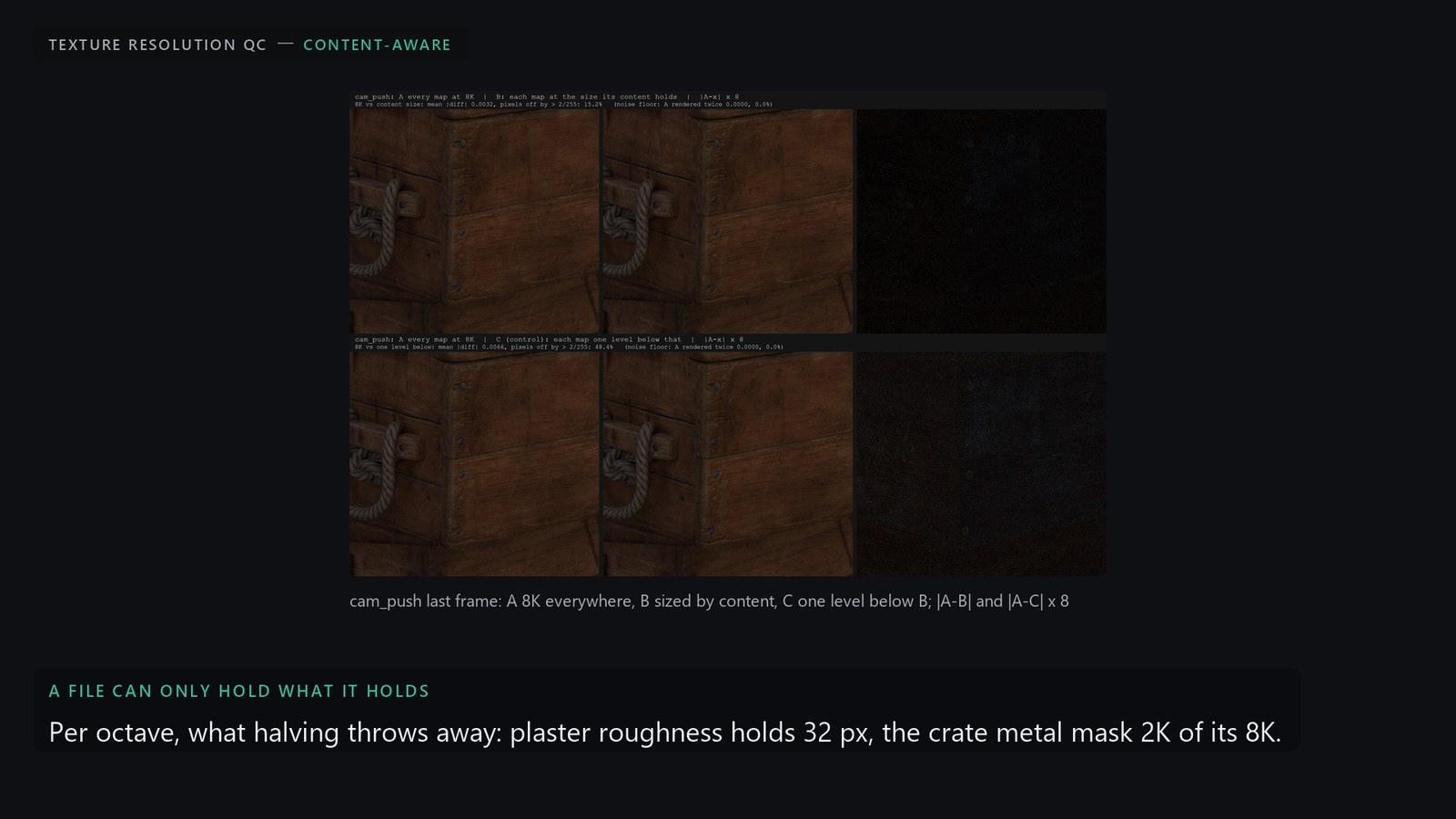
Texture budget. Give it a memory budget and it fits the recommended sizes into it: the map whose halving saves the most bytes per unit of visible loss goes first, loss being kind weight (normal 1.5, color 1, scalar 0.5) x screen share x levels below need. The alley at 25 % of its recommended 17.9 GB: crates differ 0.0020 from the recommended render, against 0.0060 for halving every map at the same memory (under a sun, so the normal maps count).
07
Outputs
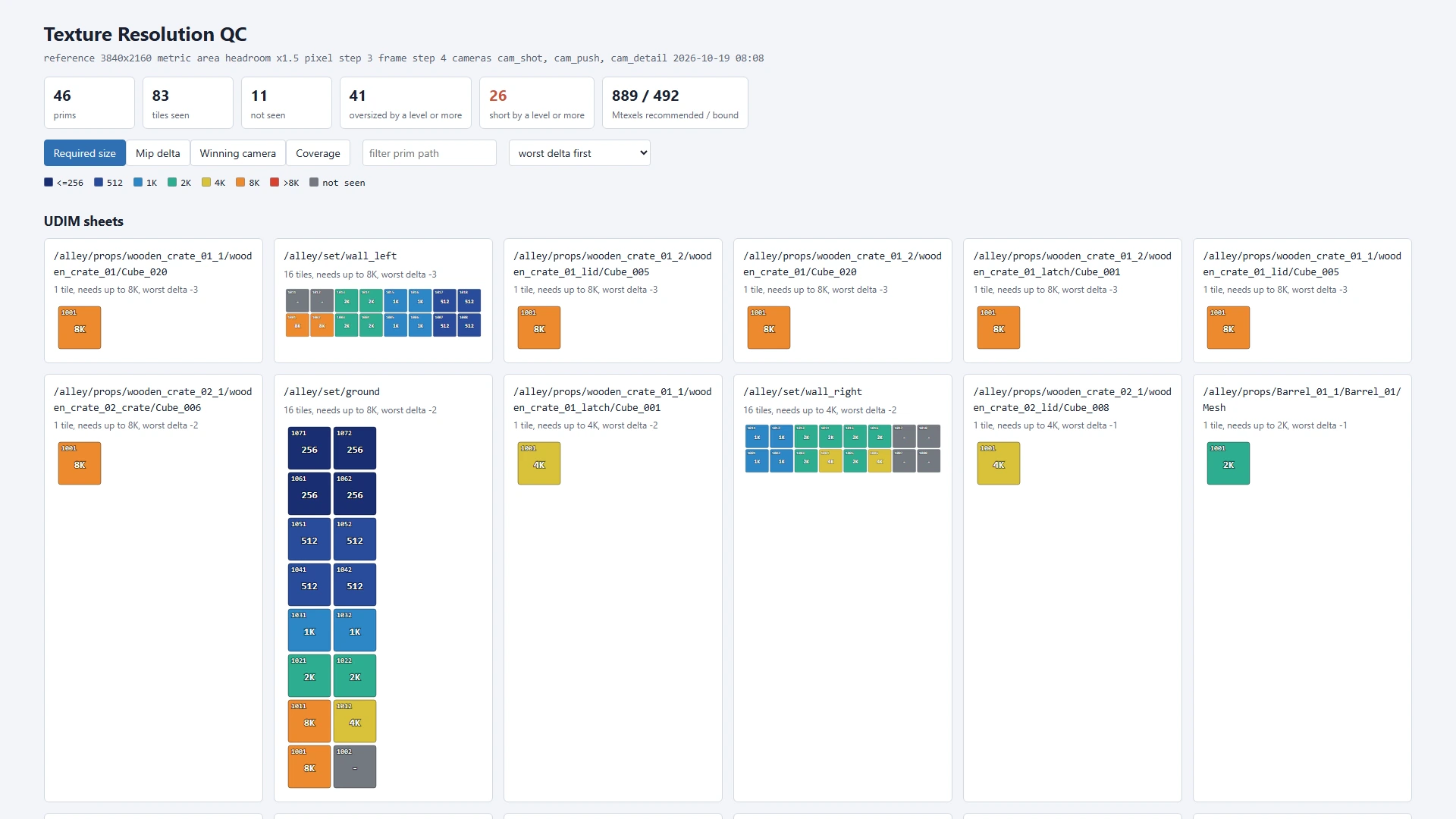
- Report (HTML + CSV), written on demand or on every cook; with the image engine, a footprint image per camera frame with the share of soft and oversized pixels.
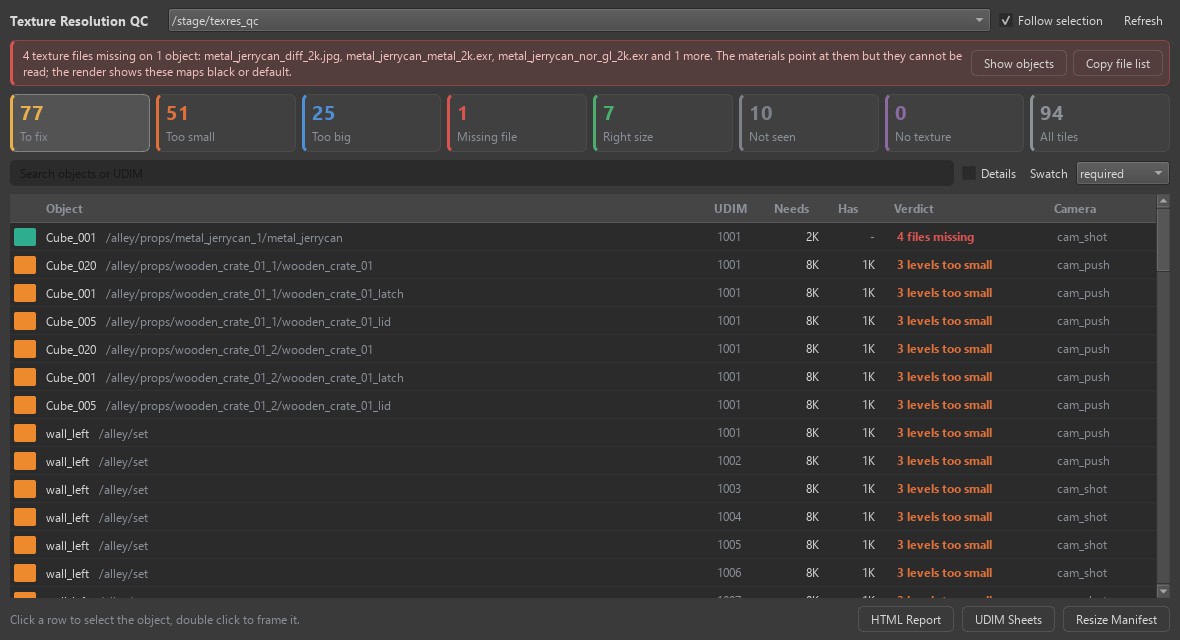
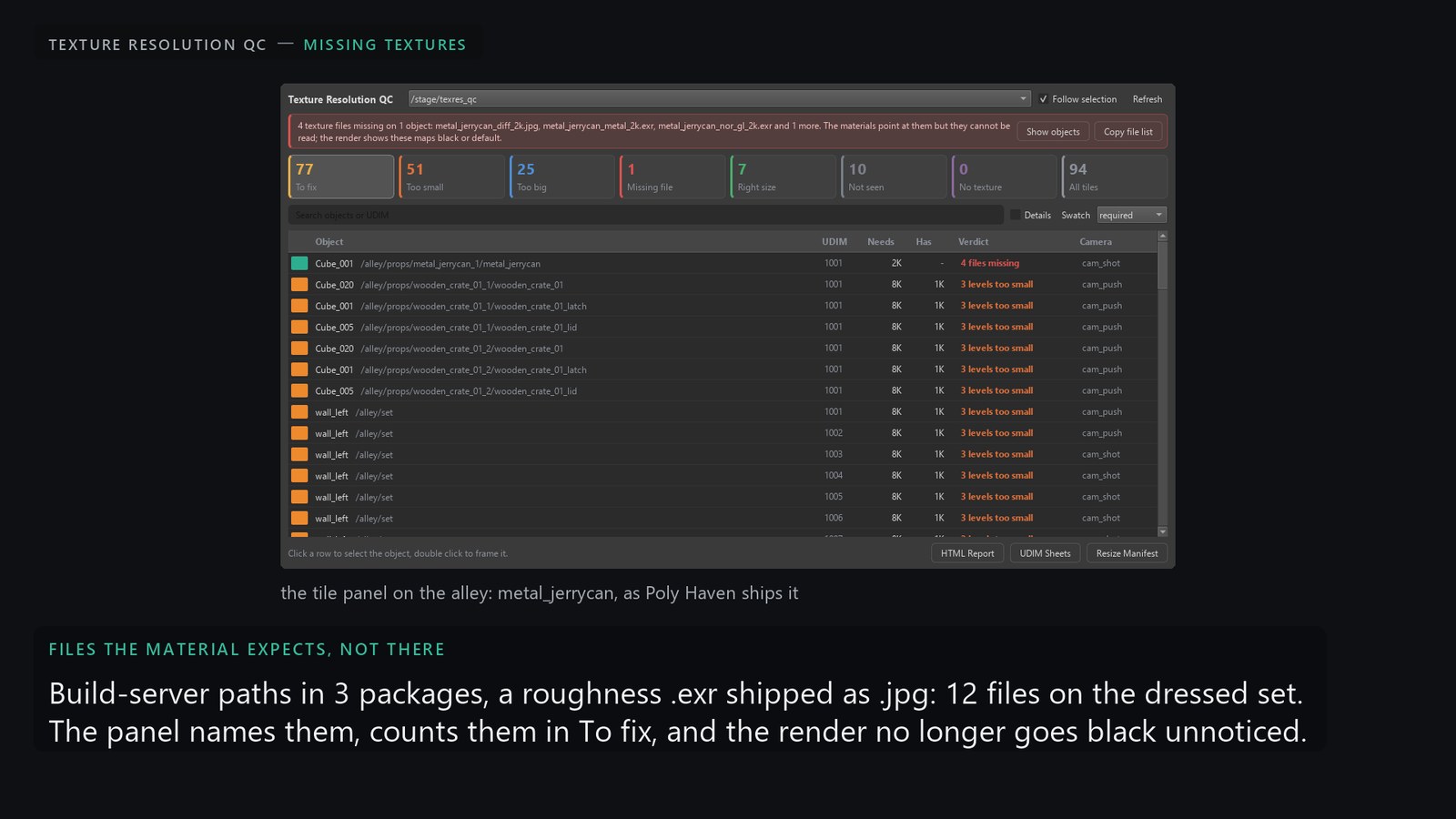
- Tile panel inside Houdini: a red banner that names texture files a material expects but cannot read; cards that count and filter (to fix, too small, too big, missing file, right size, not seen, no texture), each tile in words (needs, has, verdict), the measured numbers behind Details; click to select, double-click to frame.
- UDIM sheets: one PNG per tile per prim with the uv wireframe and the label, for Painter (UDIM import, as a reference or stencil layer) and COPs (Open In COPs builds the network).
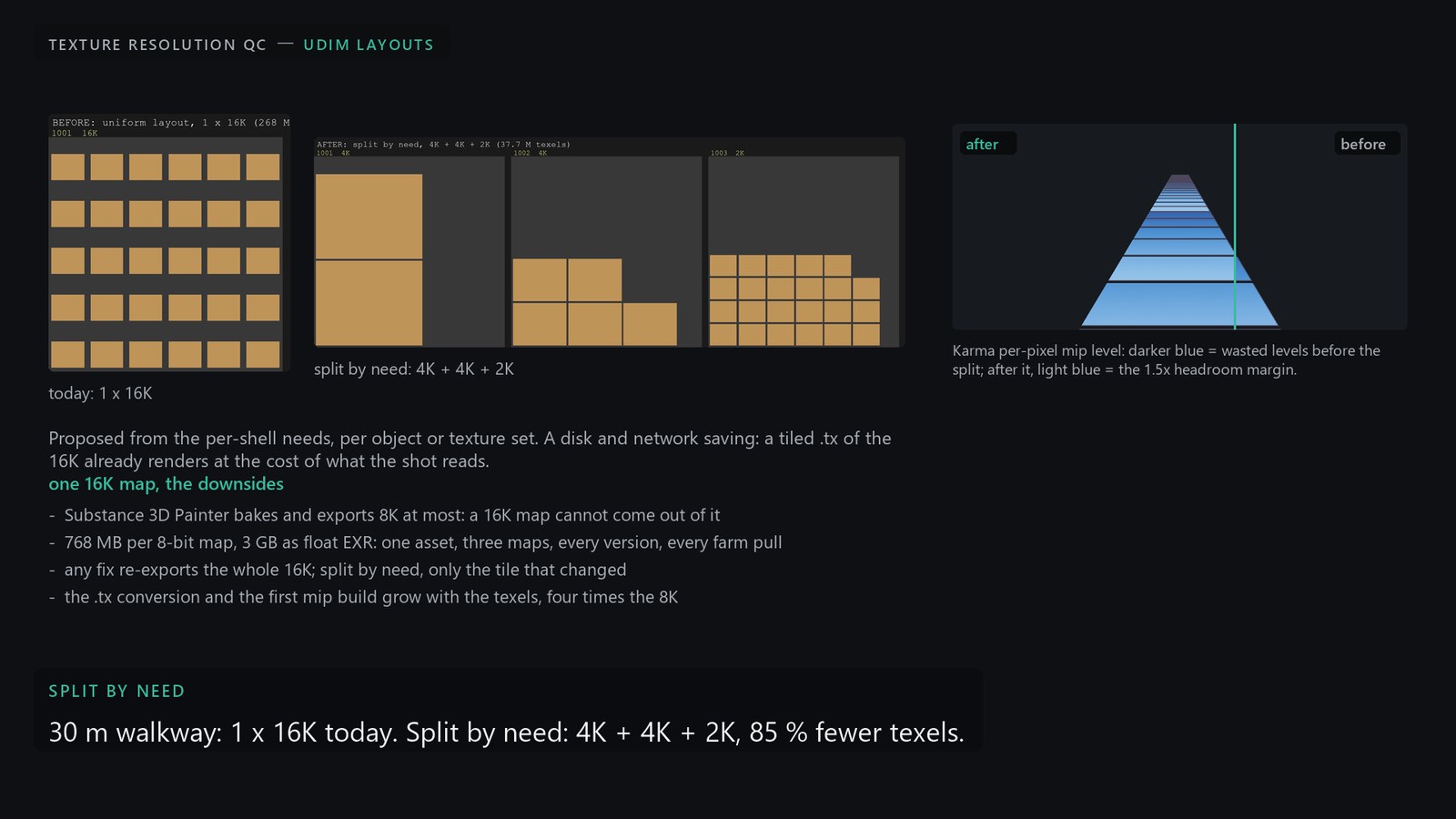
- Resize manifest: a JSON per texture file (current, target, action: resize, keep, repaint, unseen, unknown) with a shell script of the matching
hoiiotoolandiconvertcommands.bin/texres_resize.pyruns it with--execute, and the Texture Manifest Resize COP does it with nodes in Copernicus (pick an entry, see it resampled, write a.txat the source's bit depth); sources are never modified. - Write Resized Textures: inside Houdini, no script. Files with a target below their size are resized; files at the right size but not tiled and mipmapped are converted; a UDIM set with any tile written is written whole. Everything lands as tiled, mipmapped
.txin a separate folder, pixel formats and color tags kept. Thentexres_resized.usda, an over-only layer that points each material input at its new file (shaders inside native instances through a resized copy of their asset layer, so the instances stay instanced), to sublayer on the scene, or Use Resized Textures to have the node's own output read it while the analysis keeps reading the scene's own files.
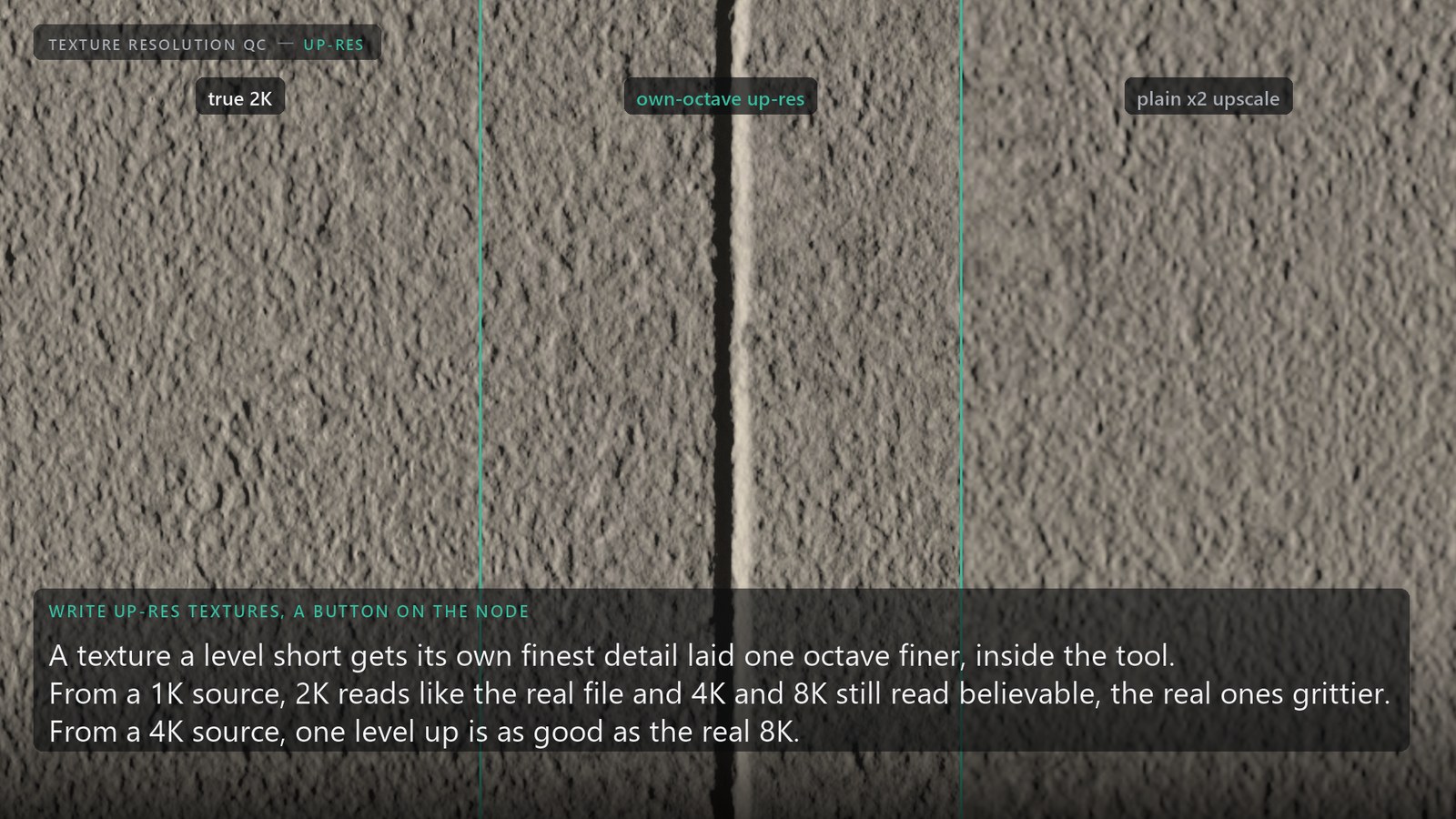
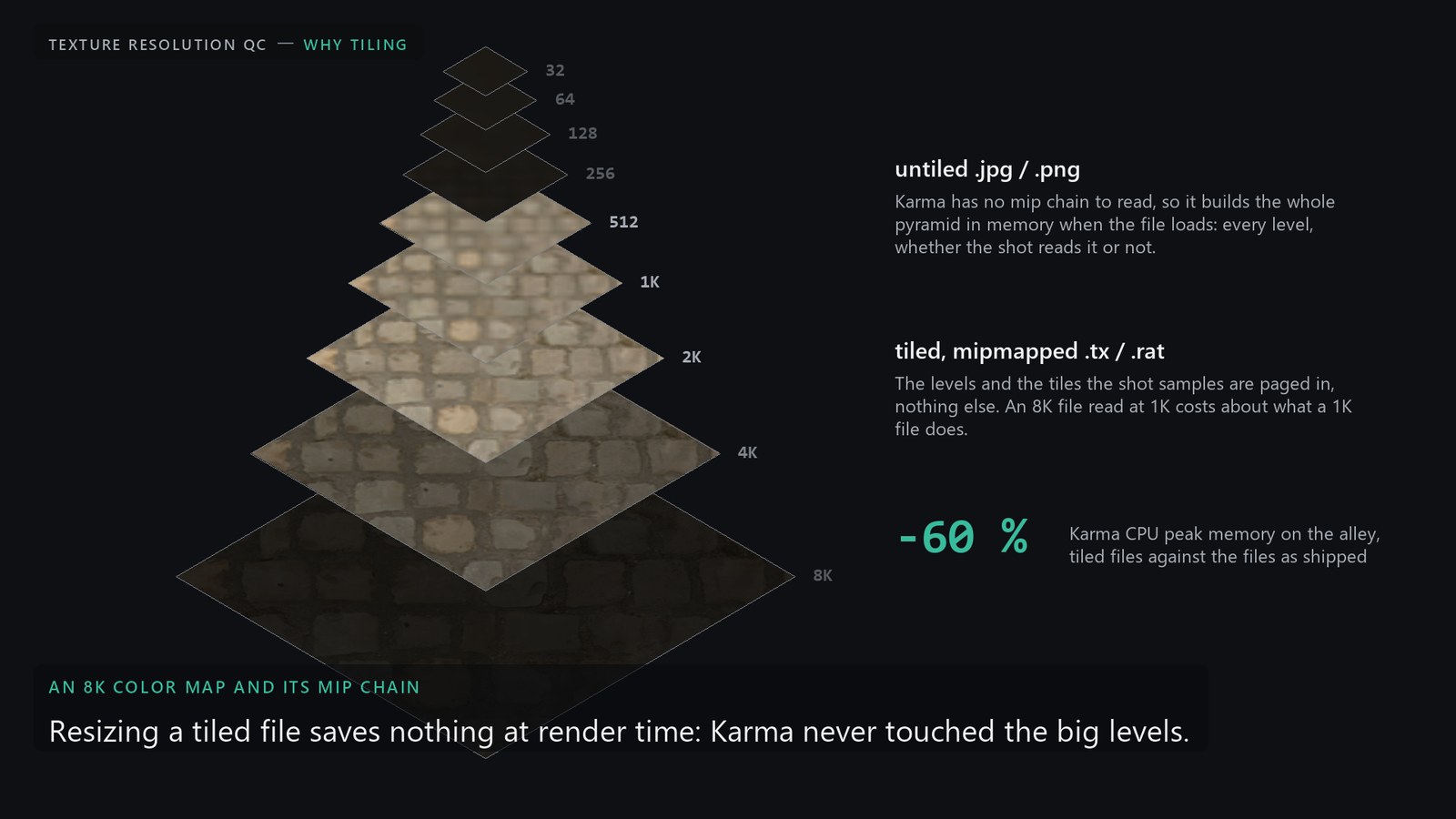
.tx is the whole optimization: it is the memory lever (section 08), it changes no pixels and it needs no decision per asset. Resizing to the recommended sizes and splitting UDIM layouts by need are for the shows where network and disk are the constraint: a farm pulling every texture from a server, cloud nodes, a publish that has to stay small. The two steps stay apart: the manifest marks every file keep or resize, and the write step has a convert-only mode (every file keeps its size, only the untiled ones are converted), which is the C variant below.Write Up-res Textures. The hero asset that ships a level short cannot be re-textured overnight, and a plain upscale adds nothing. The tool lays the detail a texture already holds one octave finer, measured against the real files: one level is honest, two is a stretch, three is a guess that still reads as the wall under the light. The method, the measurements and the whole alley from 1K are on their own page: Texture Up-res.
08
What it bought
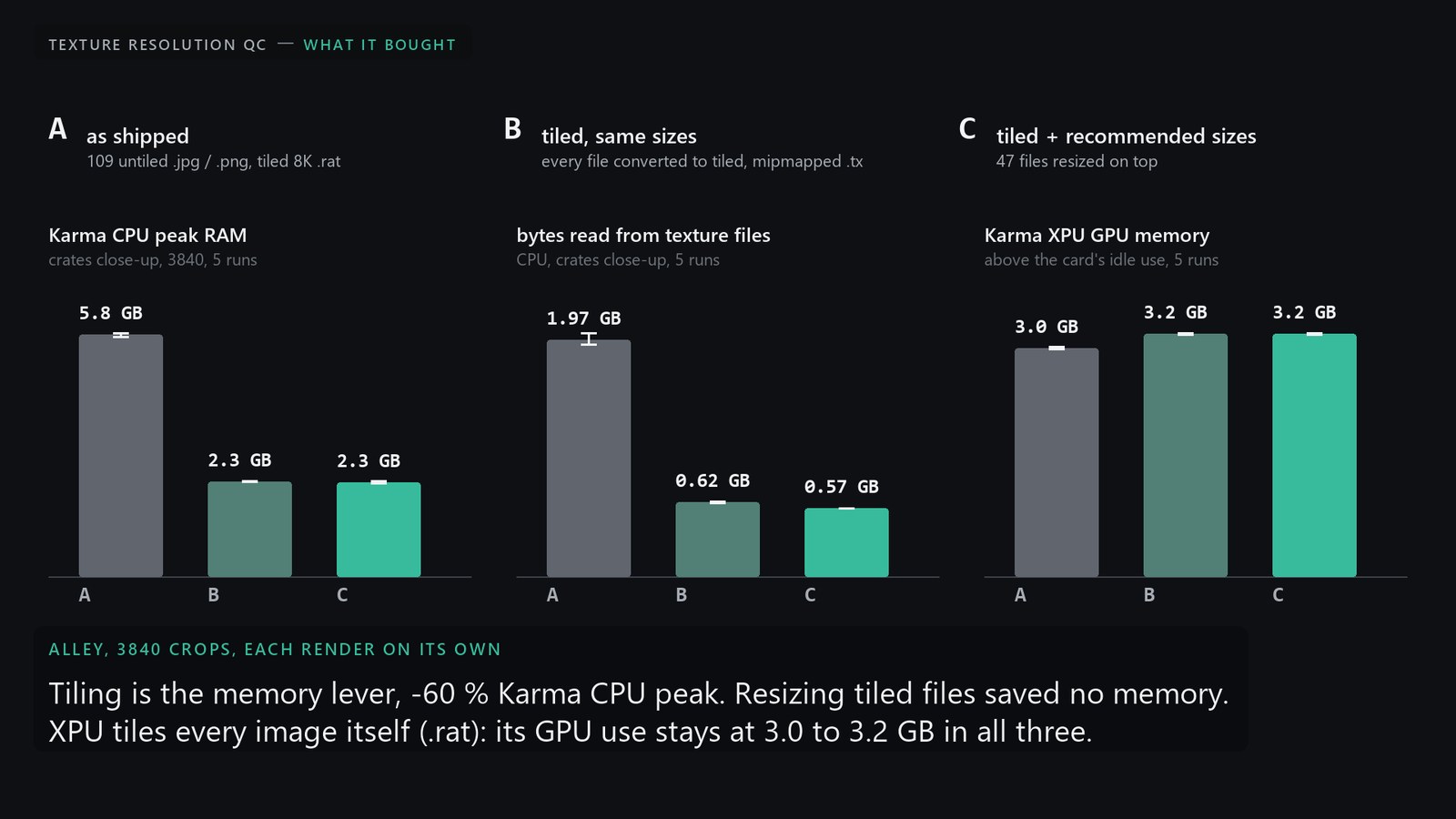
The alley with 8K crates and cobblestone bound, content-aware on, three variants rendered with Karma at 3840 crops of the crates and of the cobblestone, each husk polled for peak working set, bytes read from files and GPU memory above the card's idle use.
| Variant | Files | CPU peak RAM | CPU bytes read | XPU peak RAM | XPU GPU | XPU bytes read |
|---|---|---|---|---|---|---|
| A as shipped | 109 untiled .jpg / .png, tiled 8K .rat | 5.8 / 5.6 GB | 1.98 / 2.48 GB | 3.1 / 2.3 GB | +3.0 / +2.8 GB | 2.61 / 1.44 GB |
| B tiled, same sizes | the 109 converted to tiled, mipmapped .tx | 2.3 / 1.9 GB | 0.62 / 0.80 GB | 3.5 / 2.4 GB | +3.2 / +2.9 GB | 1.46 / 1.31 GB |
| C tiled + recommended sizes | 47 resized on top, all tiled .tx | 2.3 / 1.9 GB | 0.56 / 0.58 GB | 3.3 / 2.3 GB | +3.2 / +2.8 GB | 1.20 / 0.93 GB |
crates / cobblestone close-ups. Times: CPU 42-51 s for every variant, XPU 6-9 s. Mean image difference against A: 0.003-0.004 on CPU, 0.0004-0.0019 on XPU. Repeated five times on the crates (demo/render_resized_compare.py --runs 5): CPU peak RAM A 5.78 GB (5.73 to 5.83), B 2.28 (2.27 to 2.29), C 2.25 (2.23 to 2.28); bytes read A 1.97 (1.94 to 2.03), B 0.62, C 0.57 (within 0.01); on XPU, GPU memory above idle A 3.03, B 3.22, C 3.22 (within 0.02), bytes read 2.22, 1.47, 1.22: the same numbers every time.
The single-asset experiment that preceded it (one crate in front of the camera needing its 8K level, 4,000 crates 20-200 m away needing ~256): a mipmapped 8K costs ~0.1 GB over an all-256 lower bound, near/far texture variants save nothing on CPU and cost +0.9 GB on XPU for the second prototype, and untiled files cost +0.8 GB for four 8K maps on both renderers. So the tool recommends one size per prototype and flags files that are not tiled and mipmapped; it does not recommend near/far variants.
09
What to take from it
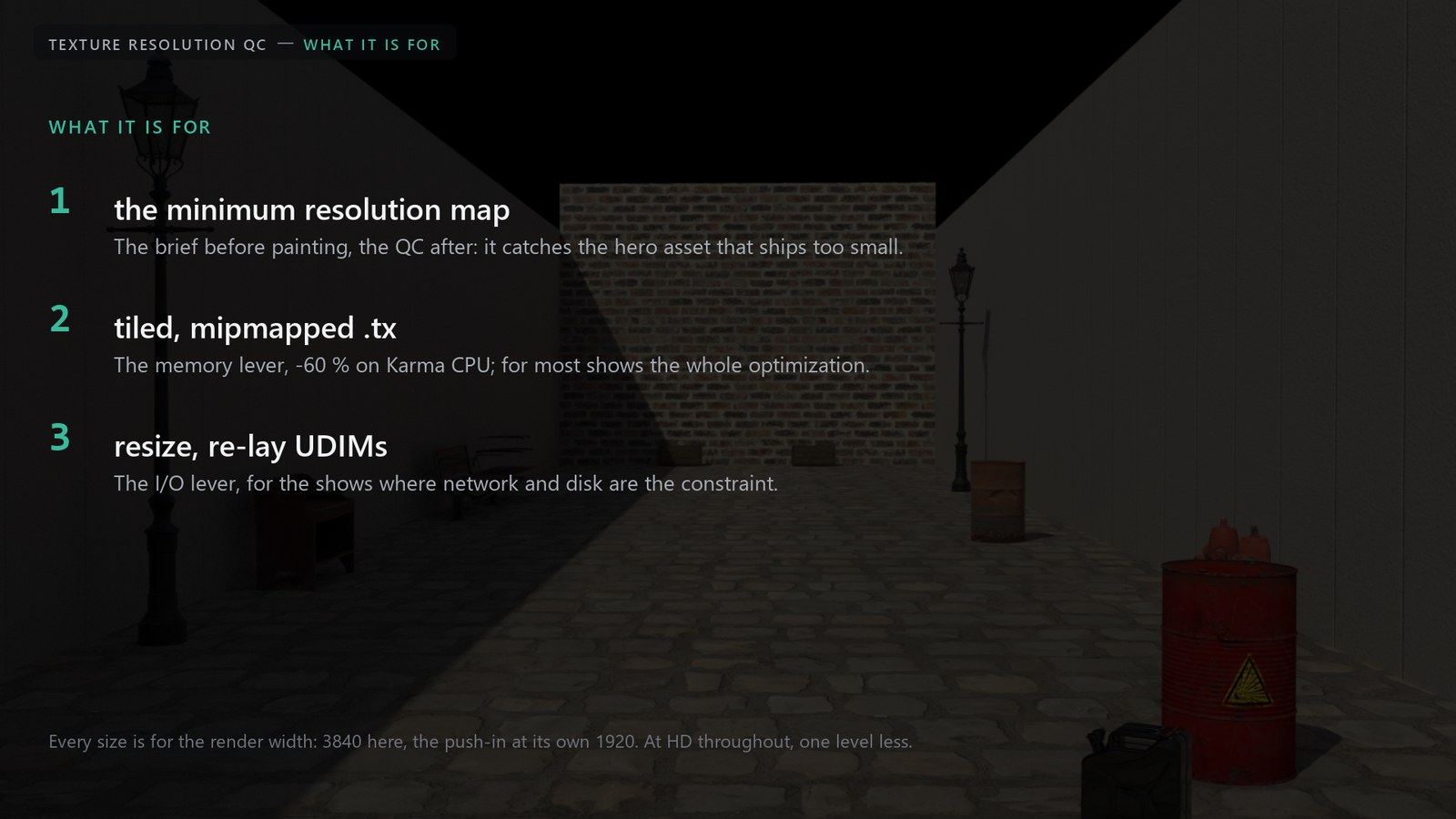
- The minimum resolution map is the point. Per prim and UDIM tile, from the shot cameras: the brief before painting and the QC after. It catches the hero asset that ships a level or three short of what the close-up reads, which no amount of optimization fixes afterwards.
- Tiled, mipmapped .tx is usually all the optimization a show needs. It is the memory lever on Karma CPU, it changes no pixels, and most pipelines do it already; the tool flags the files that are not render-ready.
- Resizing and UDIM re-layouts are for the shows where network and disk are the constraint. They cut what every frame pulls from the texture server and what a publish weighs; they save no render memory once the files are tiled.
Every size is for the render width: 3840 here, the push-in at its own 1920. At HD throughout, one level less; the report lists every Report Width.
10
Limits of v1, and what is open
- Instanced geometry: only N copies per prototype are traced, picked before any ray is cast (half by size, half spread out); a prototype whose traced copies are all hidden is estimated from the closest untraced copy, conservatively. Prototypes over the face budget are estimated, not traced, and get tile 1001 only. The Karma image engine does not handle instancing; use the ray engine.
- The ray engine does not model subdivision, displacement, motion blur or depth of field; the image engine does. Neither models reflections or refractions (LPE AOVs in the image engine are the plan).
- Geometry is taken at the current frame; cameras move, objects do not. A fast fly-by can pass closest between two sampled frames: lower Frame Step for such shots.
- See-through surfaces in the ray engine: glass is measured and passed straight through (no refraction), alpha cut-outs are holes where their opacity map is under the cutoff; only UsdPreviewSurface, MaterialX standard_surface and OpenPBR materials are read, other shaders count as opaque. The image engine follows the renderer.
- One reference resolution for all cameras; a camera with its own render width is measured at that width and its report sizes scale from it. Faces that straddle two UDIM tiles are assigned by their mean uv.
- Open: a standalone version that loads USD outside Houdini (command line, report, manifest, heatmap layer). Not yet tried on a production show scene.
11
How it is built
input stage --> analyze (Python LOP) --> output
                   |
                   | reads geometry from
                   v
input stage --> ray_instances (Python LOP: instances thinned, PointInstancer copies) --> what the LOP Imports read
sopnet: import_meshes (LOP Import, purpose render) -> unpack -> visible_meshes -> face_ids (VEX) -> OUT_MESH
        import_occluders (Occluder Pattern) -> unpack -> visible -> occluders_only (pathid -1)
        OUT_MESH + occluders_only -> use_occluders -> OUT_TARGETS (what the rays hit)
        pixels (Python SOP: one point per sample pixel)
        camframes (Python SOP: one point per unique camera-frame, from the stage)
        rays (VEX: 1 ray per pixel per camera-frame, analytic differentials, max per prim+tile+shell) -> OUT_RESULT
One LOP HDA, built by a script that finds built-in node parameters by type and menu token rather than by name, so it survives Houdini releases. The ray engine is VEX; its numpy twin (raygen.reference_sample) is what the unit tests check against the analytic answer for a flat wall, and the two are kept in step. Aggregation, sizing, colors and USD authoring are Python; the pure modules (maths, colors, texture lookups, manifest, report, sheets, panel model) run without Houdini and are covered by unit tests.
Checks that run end to end in hython: the smoke test (synthetic wall, camera, RenderSettings, textures of known size, every number against the analytic answer), moving cameras (USD time samples, a keyframed Camera LOP both ways, a keyframed Transform LOP on a parent), occlusion (eight door/bin cases), texture space (UsdTransform2d, place2d, triplanar without uvs), instancing (native, PointInstancer with a million instances, class prims, the render-ready flag, the biggest copies hidden behind a wall), glass and alpha cut-outs, and the resized textures (UDIM set, .tx, layer, toggle, native instances through a resized copy of their asset layer). Karma is deterministic on this scene (A rendered twice: 0.0000), which is what makes the image-difference numbers above meaningful.
Houdini 22 (smoke test also green in 21.0.729). Demo assets are CC0 Poly Haven; the alley, the walkway, the shells, the projection and the occlusion scenes are built by scripts in demo/, so every figure on this page is reproducible from the repository.
Texture Resolution QC, October 2026. Houdini 22, Solaris, Karma CPU and XPU. Demo assets CC0 Poly Haven.